Head Soccer v1.4 Mod (Unlimited Money)


reznaf | 4:00 PM | , , , ,


Description: Move to the side, hard-to-control soccer !
A soccer game with easy controls that everyone can learn in 1 second.
Beat the opponent with fancy lethal shots such as dragon shoot, ice shoot and lightening shoot and win the tournament.
You can also matchup with friends or global users through the gamecenter.
Play this fun soccer game anytime, anywhere.

■■ FEATURES ■■
+ Various 30 Avatars & Unique Special Shot !!
+ 3 Game mode (Arcade, Tournament, Surival)
+ Bluetooth Multi Play Mode
(Play with your friends near !!)
+ Online Multiplayer via GameCenter (at least iso4.1)
+ Physics based gameplay (Box2d)
+ GameCenter Leader boards
+ Submit Facebook
■■ D&D DREAM GAMES ■■
+ Dinosaur Slayer
+ Zombie Sweeper
+ Crasher
+ IChallenger: Return
+ Tiny Brush
+ Millionaire Show

Android OS Requierements: 2.2+

Screenshots:

More info:

Guide #4: How to backup apps and app data Android phone or tablet?


reznaf | 12:00 PM | , , , , ,

backup-options

We’ve all been in a situation before where we needed to either factory reset our phone, send it in for a warranty replacement, etc. Not a big deal by itself, but you’ve got 3 stars on 80% of Angry Birds levels, and who would want to lose that accomplishment? You want to be able to keep that data forever. Fortunately, it’s pretty easy to do, and this guide will help you get started. You’ll even be able to start transferring some app data to new phones when you upgrade.

Carbon – No Root Method
carbon_backup_google_play_banner

Carbon is an application by popular developer, Koushik Dutta, who has also developed ClockworkMod Recovery, ROM Manager, and a recent Superuser application. Needless to say, he’s made some extremely useful applications that are very widely used. Carbon is no exception, and it allows any device running Android 4.0 or higher to back up their applications and data without root. All you’ll need is your device, a computer, and your USB cable. (It’s worth noting that according to its Play Store page, Motorola devices are not supported due to a bug on Motorola’s part.)

First off, you’re going to need the free companion desktop application to use the backup features (for non rooted users only).  There are versions for Windows, OS X, and a Linux shell script, so regardless of what kind of computer you’re using, you’ll be able to take advantage of Carbon. If you’re using Windows, you’re also going to need specific drivers for your phone. There’s a link on the download page (above) with a list of drivers for easy access and installation, and just about every major OEM is covered. OS X and Linux users don’t have to worry about the driver issues.

Once you have that all set up and running, start the Carbon desktop app, connect your device via USB to your computer, and start Carbon on your phone or tablet. Wait just a few seconds, and Carbon will be fully enabled so you can start backing up your apps. You can now disconnect your phone/tablet from your desktop and utilize the app itself. You won’t have to reconnect your phone/tablet again, but if you reboot your device you will have to connect it again to re-enable the app. It’s an inconvenience, but a minor one when you consider this is the only option for backing up app data for non rooted devices.

There’s a few cool features and tricks you’ll probably want to take advantage of while using Carbon, though, so poke around and look at some settings before you back up your massive stockpile of apps. Let’s say you really only want to back up your Angry Birds data, but you don’t mind re-downloading the app from the Play Store first. If you swipe up the bottom tab in Carbon, you’ll see a check box that gives you the option of backing up only the app data, and it does exactly that; your bigger apk will not be saved, but the data that goes along with it will be saved. You’ll have to download the app from the Play Store before you can restore that data, but if you want to save some storage space on your phone or SD card and don’t mind the extra step, that can be a pretty helpful option. There are also quick options to select and deselect all available apps in this window.

If you don’t mind going for the paid version of Carbon ($4.99), you’ll get a really cool feature; the ability to back up your data to cloud storage. Carbon supports Dropbox, Box, and Google Drive, and it can seamlessly get your data on your favorite cloud service. That’s extremely helpful if you’re switching over to a new phone without an SD card, or just to make a backup in case you were to ever lose your phone.
So let’s fast forward a bit and say you’ve got your warranty exchange, you’ve finished your factory reset, or you just brought your shiny new phone home after upgrading. Restoring those applications is quick and easy, and all you’ll have to do is download Carbon from the Play Store. After downloading, run Carbon, connect it to your computer again, and you’ll be able to restore all of your apps and data. That precious Angry Birds is still completely intact. You’ll never have to worry about losing data again.
You can also use Carbon as a rooted user  and you don’t need to bother with the desktop companion software. Everything else works the same, but I prefer the next option, Titanium Backup because it’s more feature rich, but Carbon is still a great app.

QR Code generator

QR Code generator

Titanium Backup – Root Method
titanium-backup

Carbon is useful, and if you can’t or don’t want to root your device, its backup capabilities are fantastic. If you are rooted, however, it’s hard to beat Titanium Backup’s extremely rich feature set. It essentially works the same as Carbon but with a bit more flexibility and automation. It also works on any device that can be rooted, regardless of manufacturer or OS version.

First off, with Titanium Backup, you must be rooted. There’s no way around it. If you need some help on that, we do have a guide to rooting to get you started and answer most of your questions. If you’re already rooted, just download and install the app and start it. It will prompt you for root permissions, which you will want to grant, of course, and you’re ready to start backing things up.

Titanium Backup has three tabs you’ll be looking at; an overview page, a backup/restore page, and a schedules page. For this guide, we want that middle tab to start backing up applications. You’ll see a long list of every single application that’s installed on your phone, including system applications and data. This is the biggest difference from Carbon, and it’s extremely important to remember. Backing up and restoring system applications and data can cause serious problems. As a general rule of thumb, it’s much safer to manually sign back into accounts and adjust settings instead of restoring a backup for those settings. In some cases, restoring system data will be fine, but more often than not it will cause problems. Restoring system data from one device to another will definitely cause problems.

Now that we’ve got that friendly disclaimer out of the way, tap the “Click to edit filters” button above your app list. For safety, we want to uncheck the boxes under “Filter by type” except for the User option. Only the User box should be checked, and the System and Uninstalled box should be blank. Tap your green checkmark at the top right of the screen to go back to your app list that’s been completely filtered to only user apps and no system apps. Here you can manually select which apps to backup and restore, so if you really only wanted to keep data for your games when moving to a new device, it’s easy to do so.

Now let’s say you want to run a full backup for your apps. That button on the top right of the screen, next to the magnifying glass, is your “batch” button in Titanium Backup, and that’s where the magic happens. Tap that and it will give you a long list of actions you can take. For this backup, we want to run the “Backup all user apps” action. This pulls up a list of your user apps where you can individually check each app you want to back up, or you can simply select all of your apps. After figuring out what you want backed up, tap the green checkmark at the top right and the batch action will run in the background.

Restoring your apps again is pretty much the same thing. When you go to your batch actions list, scroll down a bit until you find the action for “Restore all apps with data.” This list will show each app you’ve backed up so you can batch restore everything you need, data included. The free version of Titanium Backup will make you press a yes dialog box for each app you want to restore, so it’s not totally automated, but the paid, premium version does it all behind the scenes. And, like Carbon, you can set up schedules to back up at specific times and, if you opted for the paid Pro Key, sync your local backups to cloud storage. So if you’re in one of those situations we mentioned earlier, like moving to a phone without an SD card or just making backups in case your phone is lost or stolen, Titanium Backup supports the same three major cloud storage services for backing up your data.

QR Code generator

QR Code generator

Like always, there’s plenty of Android apps available that do what Carbon and Titanium Backup can do, (although Carbon is the only app that can fully backup nonrooted devices) so if neither of these seem like your cup of tea, it’s easy to find an alternative. Both of these apps have relatively simple, easy to use designs that most users can figure out to do something that we’ve all needed to do once or twice with our phones.

sourcetalkandroid.com

Shattered Minds: Encore v1.0.0


reznaf | 8:00 AM | , , , ,


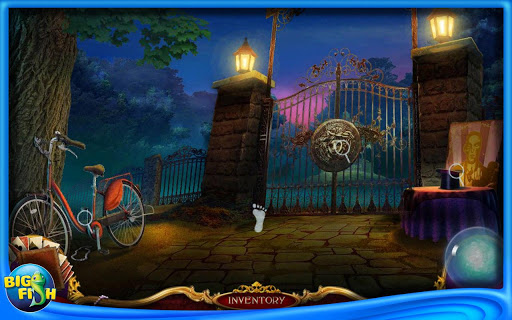
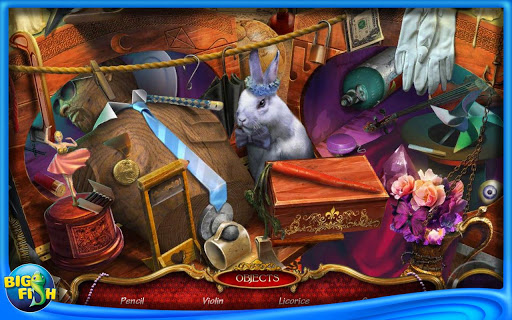
Description: Reveal the twisted plan of a deranged magician in Shattered Minds: Encore! You are a detective with a knack for dealing with strange cases and your Chief has a new case for you to investigate. After a series of vanishing famous monuments the world over, you are sent to Paris, France to investigate a possible link between the disappearances and a calling card left behind at the crime scenes. Play through challenging hidden object games and perplexing puzzles in an attempt to unravel the mystery in this thrilling hidden object adventure game!
☆☆☆☆☆ Features ☆☆☆☆☆
✓ Unique Hidden Object Games
✓ 20 Mysterious Puzzles
✓ Visit a dollhouse, dark alley, and more!
✓ Can you crack the case?
☆☆☆ Discover more from Big Fish Games! ☆☆☆
Big Fish is the leading global marketplace to discover and enjoy casual games. You can enjoy our virtually endless selection of games anytime, anywhere — on your PC, Mac, mobile phone, or tablet. Learn more at bigfishgames.com!

Android OS Requierements: 2.3+

Screenshots:

More info:

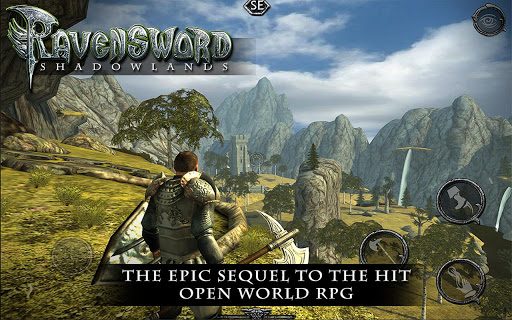
Ravensword: Shadowlands v1.25 Mod (Free Shopping)


reznaf | 4:00 AM | , , , ,


Description: New Update!
Now supports MOGA Pro controllers (Mode A)
PS3 and Xbox 360 Controllers (USB only)
Please note: Make sure the controller is plugged
into the device before starting the app.

#1 Top New Paid App on Google Play!
Optimized for Nvidia Tegra 3!
From the award winning studio that brought you Ravensword: The Fallen King
and Aralon: Sword and Shadow, comes
RAVENSWORD: SHADOWLANDS.
Ravensword brings unprecedented visuals to the role playing and adventure
genre. Explore a vast and richly detailed world, gather powerful weapons, collect hundreds of items, increase your skills, and follow a deep storyline to solve the mysteries of the Kingdom of Tyreas.
Features:
Enormous 3d world to explore
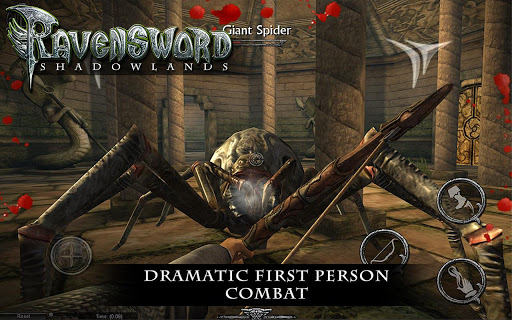
First Person and 3rd Person on the fly switching
Gorgeous and realistic scenery
Ragdoll Physics
Original Soundtrack from composer Sean Beeson
Hundreds of items to use
Reflex and precision based combat with manual blocking and dodging
Various weapon types - Bows, Crossbows, Hammers, Swords, Axes
Flying Mounts
Horses
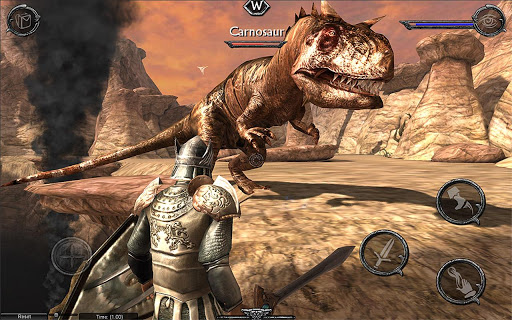
Tons of enemy types including huge prehistoric creatures.
Lockpicking
Pick Pocketing
Stealth
Magical Runes
Item enhancement
Tons of loot
Plenty of armor upgrades
Mounted combat
Decision based, multi-part Quests
Reputation and Jail System

Android OS Requierements: 4.0+

Screenshots:

More info:
https://play.google.com/store/apps/details?id=com.crescentmoongames.ravensword2

Download Instructions - APK:
http://ul.to/rozh2hac
http://rapidgator.net/file/e8eaf68e8ee1 ... d.apk.html

Download Instructions - SD data (torrent):
http://www49.zippyshare.com/v/50353751/file.html

Instructions:
Install APK
copy 'com.crescentmoongames.ravensword2' folder to 'sdcard/Android/obb'
Launch the Game

Roundhouse v1.2.1


reznaf | 12:00 AM | , , , ,


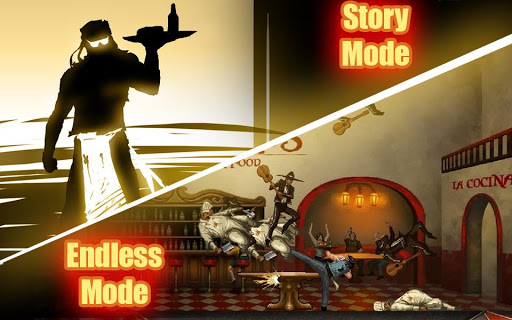
Description: Roundhouse is a 2D-Physics action game that takes you, the world's toughest rock star, to Hell and back. Inspired by old school arcade brawlers, Roundhouse is easy to learn and difficult to master. Perform furious feet-flyin' combos as you fight your way through many unique stages, each with challenging bosses that will put your thumbs to the test! Develop the foot fetish you never knew you had; no shame required.
GAME FEATURES:
* Fun physics-driven gameplay
* Story mode
* Endless mode
* 3 levels of difficulty
* Awesome unlockable special moves
* Intense boss battles
* Gamecenter achievements and leaderboards
* Original soundtrack by Cain German
******* KNOWN ISSUES *******
- Major issues have been reported with the Nexus 10 for all Adobe Air apps. A patch is underway for this issue.
- Locking the device during gameplay can cause a black screen on some devices, which may prevent further play until the application is restarted. We are currently working on a patch for this issue.

Android OS Requierements: 2.2+

Screenshots:

More info:

Moorhuhn Pirates v1.0.0


reznaf | 8:00 PM | , , , ,


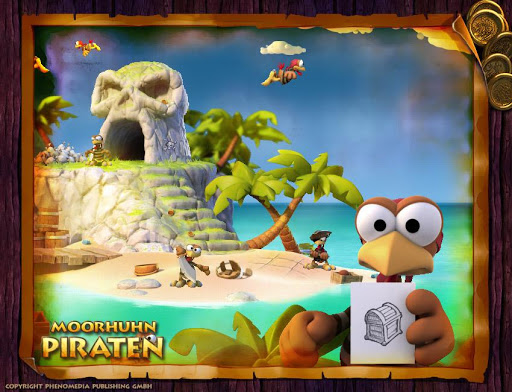
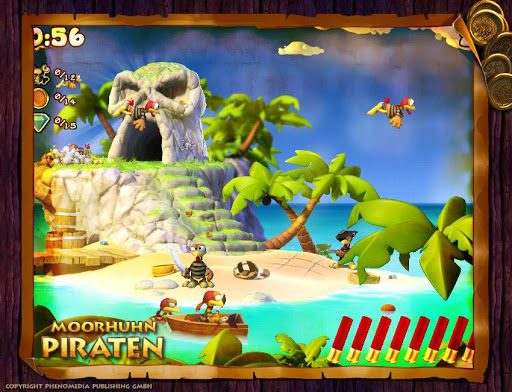
Description: The Crazy Chickens are back and this time they are disguised as pirates, not only hiding on an idyllic island, but looking for treasure. Your treasure!
Bring your shotgun, your cannon and your targeting skills to make these pesky pirate chickens feel the wrath of a true pirate.
They will not go down without a fight and have again prepared various riddles and tricks which you have to unveil for the perfect score. The best pirate hunters might even get a chance to fight the chicken pirates with their own weapons during an epic naval battle.

Android OS Requierements: 1.6+

Screenshots:

More info:

City Island: Airport ™ v1.1.8 Mod (Unlimited Money)


reznaf | 4:00 PM | , , , ,


Description: City Island: Airport is the new FREE city building game created by top developer Sparkling Society. The first game, City Island, is a very popular tycoon game with millions of players. If you liked the early Sim City building games and if you like to play free games on Android™, you will definately love this 'simcity style' tycoon!
Now with City Island: Airport, we joined the airport mania. In this new game, the challenge is to build a wonderful tourist paradise island. It is a virtual city builder game where you need to build, balance and simulate an airport city and a tourist island paradise with happy citizens, attractions, resorts, plants, community buildings and more. Great fun guaranteed escaping your daily life!
★★★★★ Review by Mark P: My favorite!!!!
This game is by far my favorite sim game!! I play similar construction games, but this simulation game is definitely one of my favorites! You need to download and play this city builder tycoon game NOW!!
In City Island: Airport you will build an airport for handling both incoming and outgoing flights. To attract airplanes loaded with happy tourists to your island, you will build hotels, resorts, community buildings, plants and attractions. At the same time you will build houses which will deliver citizens as passengers to your airport, so you can earn money with your own airplanes. To grow your airport city and your tourist island into a happy tourist paradise, you have to make sure that everything is balanced properly. A fun and addictive challenge!
★★★★★ Review by Samantha O: Awesome game!
I already spent dozens of hours playing this virtual city simulation game. In my opinion, this will be one of most popular free games this year!
★★★★★ Review by Edwin M: City Island: Airport
Be aware that this virtual city app is very addicting. Like it much more than other sim games!
** Features **
- Fun FREE to play tycoon game
- HIGH QUALITY graphics
- Airport theme
- Challenge to create your own mini virtual paradise
- Discover various big challenges in intuitive gameplay
- Run it on Android 2.3 and higher
- Unlock dozens of beautiful unique buildings (resorts, hotels, attractions, hangars, terminals, flight tower, runways, landmarks, houses)
- Attract happy tourists with beautiful resorts, landmarks, hotels and great attractions
- Attract citizens with parks, trees, and community buildings
- Grow your airport city to allow big planes bring in tourists continuously
- Collect profit from your accommodations
- Join the big community and share friend codes with your friends
- Upgrade your flight tower and terminal according to your island
- Collect XP and level up to unlock new airport and city buildings
- Fly to real life destinations around the world
- Collect Stars to unlock beautiful landmarks
- Currency: diamonds / gems, gold, money / cash
- Age independent story
- Lots of adventure and quests to unlock
- Collect dozens of REWARDS while playing
- Expand the airport and city life on your paradise island
- Sim style architecture
- Play with friends: Enter friend codes and gift codes to gain insight and receive cash and gold
Join the community and get FREE giftcodes every week for the coolest building game!!

Android OS Requierements: 2.2+

Screenshots:

More info:

Last Fish v1.3.0


reznaf | 12:00 PM | , , , ,


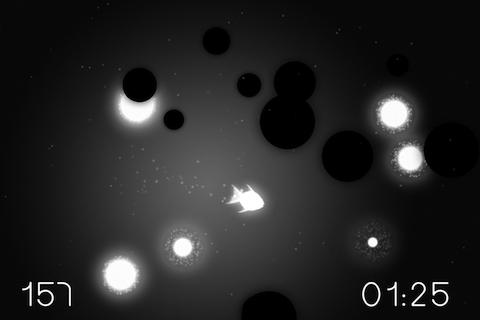
Description: Last Fish is a stylish black and white action game about the survival of a tiny fish in toxic water filled with goo.
FEATURES
* Intuitive controls - tilt the device or use a Sphero!
* Stylish monochromatic graphics
* Atmospheric soundtrack
* Simple and addictive game mechanics
* 45 levels and 5 arcade stages
* 3 star performance score on each level
* In-game achievements
PRESS QUOTES
"Last Fish felt poetic in some ways." - DIYGamer
"Last Fish is a satisfying swim through a world of light and shadows." - Kotaku
"Within 15 minutes of downloading the game I was hooked." - AppAdvice
"Last Fish is proof that games can be artistic, and more importantly that artistic games can be fun." - TouchMyApps
GAME MECHANICS
Tilt the device to control the fish. Eat food to gain health. Avoid touching goo as it decreses health. Complete the objectives but beware of the shadowfish.
New control options include 3 different setups for tilting the device and support for Sphero - an awesome ball robot you can use to control the fish.
LEVELS
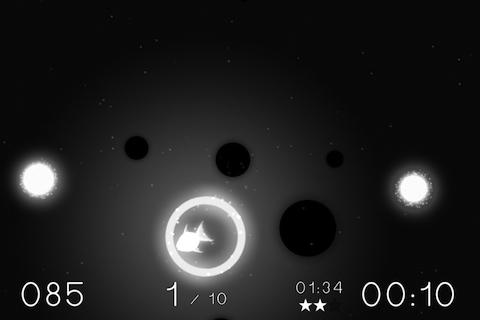
In each level you have to complete one of four objectives: survive for a specified amount of time; quickly follow a trail of rings; clear checkpoints; eat food with caution to reach a specific amount of health. Every level is different, be it food quantity, goo quantity, speed, size, movement patterns, health lost rate, number and speed of shadowfish. All these combined make each level unique.
ARCADE
Survive as long as possible. Arcade starts with lots of food and some goo, but over time the food gets more rare and more goo appears. The fish also loses more health as time passes. Then appears the shadowfish. Survive, until the inevitable end...

Android OS Requierements: 2.2+

Screenshots:

More info:

Related Posts Plugin for WordPress, Blogger...