Showing posts with label Home Screen/Widgets. Show all posts

PipTec Green Icons & Live Wall v1.3.7


reznaf | 4:00 PM | , , , , ,


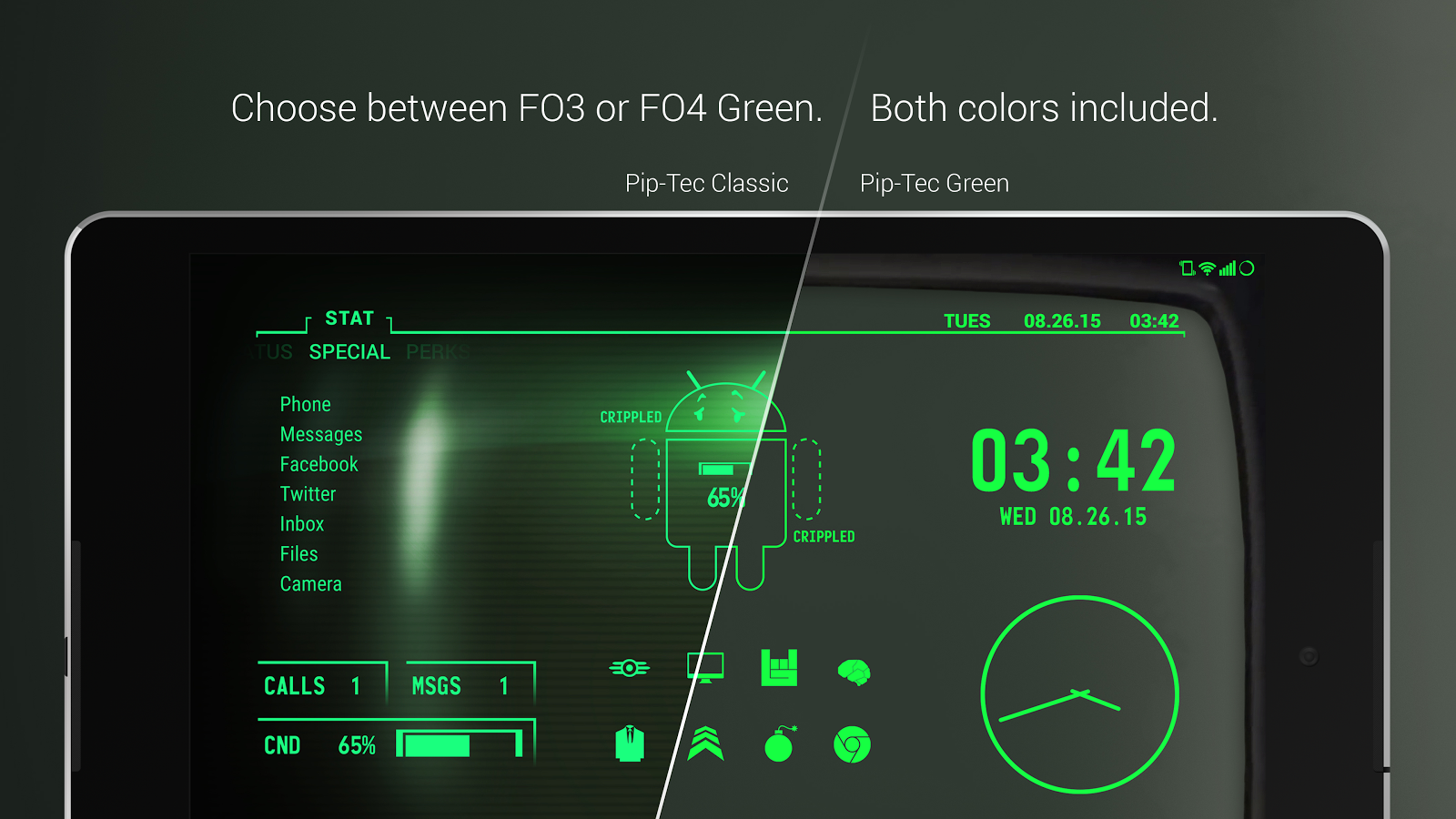
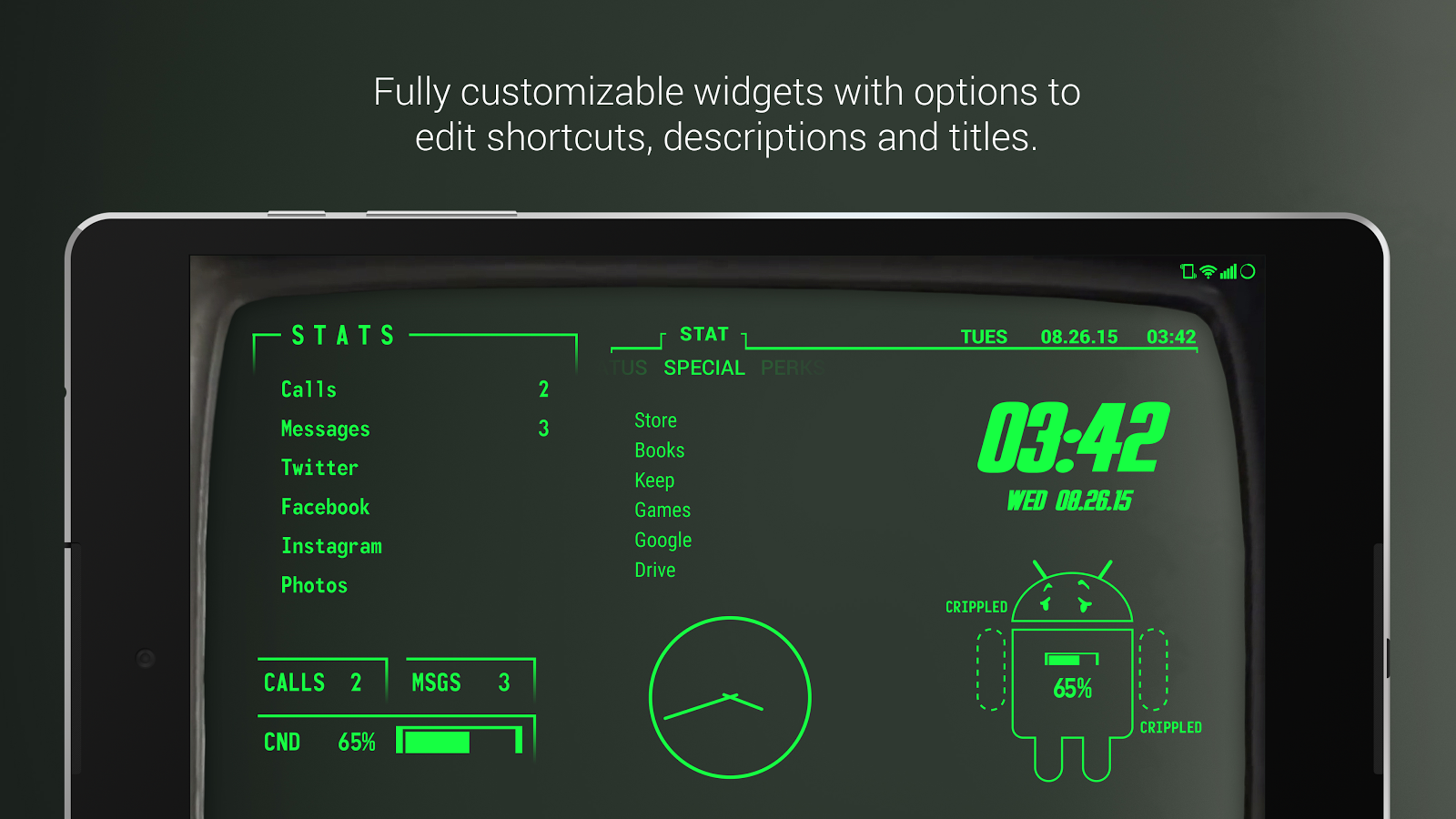
Description: Pip-Tec is a theme that applies new icons to the most popular apps through a launcher of your choice. Each icon was hand crafted with simplicity in mind. The 3,300+ green icons and 70 wallpapers are inspired from the Fallout game series and the Fallout Pip-boy 3000. icons are xxxhdpi which means they're HD or high enough resolution to get cool looking lined icons on any device out there.

- 3,300+ Hand-crafted HD icons in both FO3 and FO4 shades of green
- Animated Live Wallpaper with scanline
- Vault-Boy inspired Battery Widget
- FO4 "STAT" Widget
- Digital Clock Widget with date options
- "Stats List" Widget - Fully editable shortcut list of your apps in text form, you can also edit the name displayed.
- "Stats Boxed" Widget - Editable boxes with missed calls, unread texts and battery percentage.
- 40+ Pip-Boy HD wallpapers - Hosted on the cloud. Choose and save the ones you want. (All wallpapers shown are included)
Crippled Battery Widget can be found for free here:
https://play.google.com/store/apps/details?id=com.natewren.crippledbatterywidget
*Note: You need a launcher like Nova Launcher(Dev recommended) or an app like unicon to apply the theme. Most of the launchers above offer free versions.
-- Features --
- Muzei support for rotating wallpapers
- New Icons added regularly
- All pip-boy wallpapers shown are included. Full Version includes blue and amber icons and wallpapers.
- XXXHDPI high definition modern, green fallout pip-boy 3000 icons included for super large HD screens. All Icons are 192x192.
- Some parts of the green fallout pip-boy 3000 icons are transparent letting each show the provided scenic/landscape backgrounds or to your own backgrounds.
- Contains over 3,200 different clean, flat and simple fallout pip-boy themed icons with many variations of default lined icons such as phone, contacts, camera, etc.
- Wallpaper chooser comes installed to replicate a pip-boy on your device..
- Easy link to request more outline icons.
- Clean, green pip-boy 3000 icons work best with dark wallpapers.

Android OS Requierements: 4.0+

Screenshots:
More info:
Omega StatusBar Pro v1.7.1.2


reznaf | 8:00 PM | , , , ,


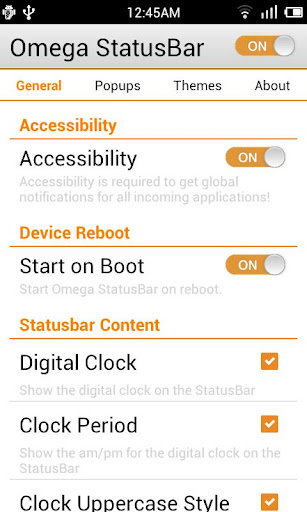
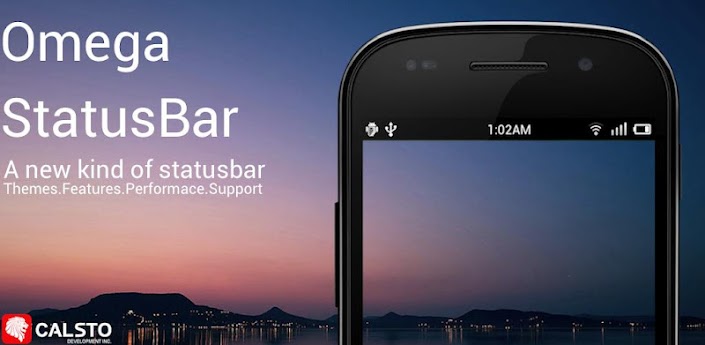
Description: Omega StatusBar allows you to control the look and feel of your status bar for free - AND without needing a rooted device!
Omega StatusBar takes customization to the next level. With tons of 3rd party themes and a universal theme studio, you have an endless supply of icon styles and layouts to choose from. On top of that, OSB offers many options to get your status bar to look just how you want it!
OSB is also the first status bar replacement to provide full support from cyanogenmod theme developers! After installation don't forget to visit the theme tab and check out the iPhone iOS and Android 4.0 and 4.2 TouchWiz, Sense, and AOSP Ice Cream Sandwich and Jelly Bean themes in blue, cyan, green, grey, orange, pink, purple, red, yellow, and white!

What are the main features of Omega StatusBar?
Ω Replaces your stock status bar by providing a beautiful alternative to the same old indicators and notifications
Ω Allows support for third party themes made by anyone (including you!)
Ω Auto-hide support for full screen apps or lock screen
Ω Auto-detect screen orientation
Ω Task killer safe! Will auto-reboot when killed
Ω Start-on-boot option to auto start when device is rebooted
Ω System Sensors to notify of device errors and alerts
Ω High Temp sensor and Battery sensors
Ω Smooth gesture for default pull down
Ω Content settings to give you full control of what is visible
Ω Exclusion list for unwanted application notifications
Ω Notification Count for repeating notifications
Ω Animated Charging Battery
Ω Animated status bar background
Ω Theme Manager to manage all your themes
Ω Low ram footprint (under 7mb)
Ω Simulates system animations for battery, wifi, signal, and data indicators
Ω Supports stock notifications such as gps, sound, bluetooth, email and gmail, calendar, sms, etc
Ω Built-in 3rd party notifications for Pandora, Twitter, Facebook, etc.
Ω And so much more!

What about Omega StatusBar Pro?
Omega StatusBar is a free app but we also have a pro version with even more features, stability, and sooner updates. That being said, we are not going to make the free version of Omega StatusBar a trial for only 14 days like other apps such as StatusBar+ or Super Status Bar. We are going to leave this version of OSB completely free to use for as long as you want. If you want to support our development, unlock more features, and get updates first, then you should upgrade to OSB Pro today! Besides, its only $1.29 which is still cheaper than other status bar replacements!


What is this about Accessibility Control?
In order for Omega StatusBar to handle all third party notifications, you must give it permission through the Accessibility Manager. This must manually be done through the settings. Go to Settings > Accessibility >Omega StatusBar > ON.

Other Information & permissions
Why so many permissions needed?!?! Well, Omega StatusBar is a different kind of application. It is designed to constantly run and overlay your stock status bar. It has to receive third party notifications and access information about your device. Without this information, the status bar would not run correctly. Please accept these permissions as we are using each one properly and for a specific use!

Note to 4.1+ users: The custom notification panel is almost ready and will fix the overlapping issue in the stock panel.
Custom ROM and MIUI Users: Unfortunately Omega StatusBar cannot support all of the custom ROMs available for Android. This is especially true for MIUI due to differences in the framework. Please be patient while we improve compatibility.

Android OS Requierements: 2.1+

Screenshots:

More info:

Metro Notifications v6.0


reznaf | 8:00 AM | , , , ,


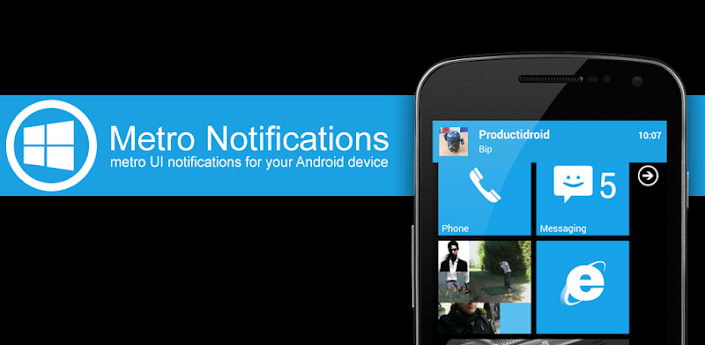
Description: Metro Notifications displays Metro UI styled non-intrusive notification banners for any app on your device.
You can swipe the notification to the right to dismiss it, to the left to dismiss all notifications, or click it to launch it.
You can set a custom colors for any app.
Follow us :
twitter.com/productigeeky
facebook.com/productigeeky
productigeeky.com/google-plus
~~~
Get support, share ideas and suggestions at http://getsatisfaction.com/productigeeky
Checking notifications from third party apps requires the activation of the Metro Notifications accessibility service. Status bar notifications must be enabled in the monitored apps for Metro Notificationsto be able to process them.

Android OS Requierements: 2.1+

Screenshots:

More info:

Weather Live v1.6.3


reznaf | 8:00 PM | , , , , ,


Description: Introducing Weather Live. The most beautiful weather app. Ever.
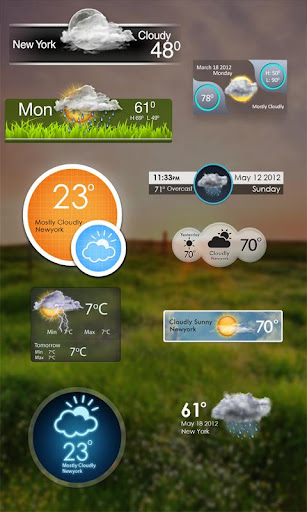
Don't let bad weather take you by surprise! Whether it is cloudy, rainy, snowy or even stormy outside, Weather Live will provide you with current weather conditions and forecast in your city and multiple locations all around the world.
Cold or warm weather, it will magically come alive on the crisp screen of your device. You won’t even have to look out the window as Weather Live will make you feel like you are already outside! With an innovative technology Weather Live implemented into the app, we made it possible!
• Weather forecasts for multiple locations all around the world
• Live weather scenes reflecting real-time weather conditions
• Beautiful weather widgets
• Customizable layout: all weather details, short-term forecast, long-term forecast, current state only, text only
• Local time in 12 or 24-hour format
• 7-day and 24-hour weather forecast
• "Feels Like" temperature. Today’s Min and Max
• Wind direction and speed. Visibility details
• Humidity and precipitation information. Pressure in inches, mm or mbar
• Fahrenheit or Celsius and Miles or Kilometers
• Easy navigation between cities: swipe either to the left or to the right to switch between locations
Get Weather Live and be prepared for any weather!

Android OS Requierements: 2.3.3+

Screenshots:

More info:

Floating Notifications (Full) v1.2


reznaf | 8:00 AM | , , , ,


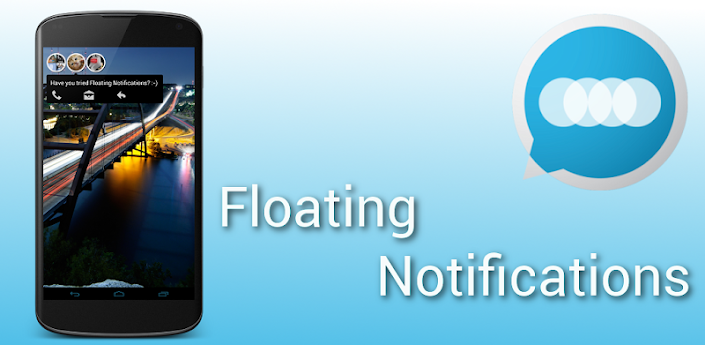
Description: Floating Notifications is a new and intuitive way to view your notifications. It can take a notification from any app and present it to you as a floating icon, similar to Facebook chat heads, but for any application. It even works in fullscreen mode (in Games, Youtube etc) and is fully customizable.
This is a full 30 day trial to give you plenty of time to get to grips with everything Floating Notifications has to offer :)
The unlocker can be found here: https://play.google.com/store/apps/details?id=robj.floating.notificationsunlocker
=========
Themes
Themes for FN can be found both on the Play Store (search "FN Theme") or on XDA (http://forum.xda-developers.com/showthread.php?t=2283623)
Any issues, requests or suggestions?
Follow us on Twitter (@FNforAndroid)
Like us on Facebook (http://www.facebook.com/floatingnotifications)
Circle us on Google Plus (http://gplus.to/chatheads)
Get beta access by joining the community (http://gplus.to/fnbeta)
Or email us at support@iamrobj.com
=========
App integration
FN is not able to make notifications disappear from your status bar. An app cannot dismiss another apps notification.
However, if you want any of your favourite apps to either make their status bar notification disappear when you dismiss the corresponding Floating Notification, or vica versa, you can point them to this page where they can add Floating Notifications integration:
http://iamrobj.com/intents-fn/
Halo
This is NOT Halo. There are no popups of full apps and nor will there ever be. If that is what you are after unfortunately you will not find it here.
=========
Samsung Owners 
- Some Samsung devices might start reading aloud, this is a known Samsung bug, it is not something I can fix however a number of possible fixes can be found here: http://goo.gl/mnzjIAnd you can see Samsung's response to the issue here http://goo.gl/l1E3d
- Swipe keyboard input on some Samsung devices might stop working (typing only), again, this is a known Samsung bug, it is not something I can fix
If you receive no notifications
Do you have other accessibility services enabled? If so disable them, enable Floating Notifications, then re enable them.
Known issues (not caused by this app)
- If you are on 4.2 and using the screen on option, when you phone is locked, instead of the usual screen timeout of 10 - 40 seconds (depending on device) it'll instead use your normal display timeout (the one you set in your display settings) - this could result in battery drain is your normal timeout is long ( >1 min)
- If you are on Sense 5 and using the lock screen option, any touch can unlock the phone, this is a known Sense issue
- Google Now notifications will not appear in this app
- Kik Messenger notifications will not appear in this app

Android OS Requierements: 3.0+

Screenshots:

More info:
PowerLine FULL v1.3


reznaf | 8:00 PM | , , , , ,


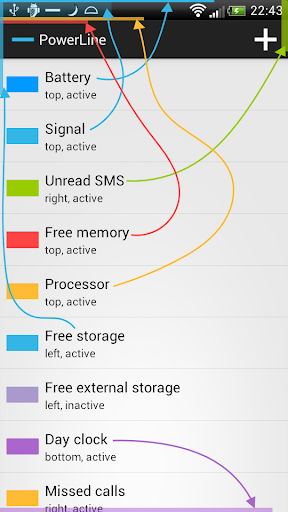
Description: PowerLine - smart line-indicators in your status bar. Battery, CPU, memory, signal, storage, SMS, missed calls and more...
Better than a widget! Always visible, even on the lock screen.
FREE version with two indicators, more indicators with the Unlock.

Android OS Requierements: 2.1+

Screenshots:

More info:

Zooper Widget Pro v2.34


reznaf | 12:00 AM | , , , ,


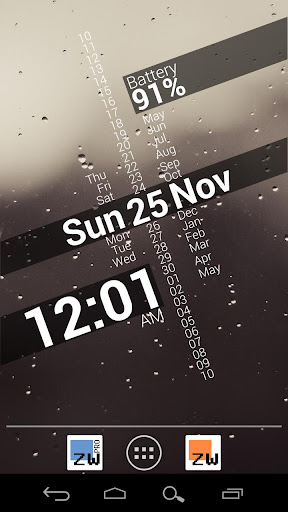
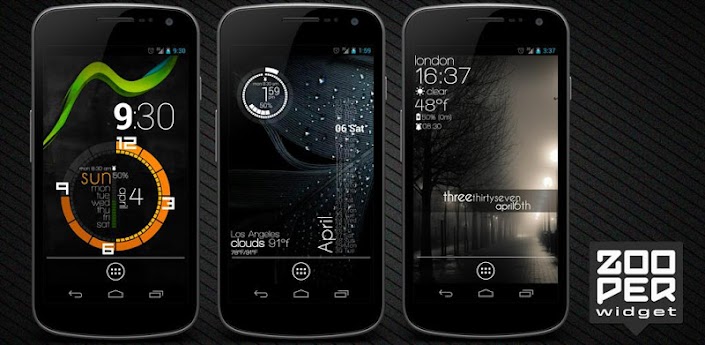
Description: Minimal, classy, extremely customizable and battery friendly "do it yourself" Widget with almost limitless possibilities!

If you like the software and want to support the development please rate it! If you have issues or requests send me an email or use the forum at http://zooper.org/wp/forums/
FREE FEATURES
- Sample templates included, no need to download anything else
- Some custom fonts already included, additional can be added on sdcard/fonts
- Create your templates easily, no functional limit, tons of variables and controls
- WYSIWYG editor with layers like Photoshop / Gimp
- Build your style and change everything, color, text, shapes, position and more
- Completely customizable date and time (day of the year, week number, number to text...)
- Date calculations (countdown, time to or from any date, calendar event or system attribute)
- Full Math expressions supported (like Star Trek stardate)
- Battery info (remaining time, percentage, temperature, voltage)
- World clock (multiple timezones on the same widget)
- Weather for current or multiple locations on the same widget
- Up to 5 days forecast from multiple providers (Open Weather Map, YR.NO)
- Calendar info with free customization
- System info, like uptime, next alarm, SD card space
- WiFi network name, cell operator, signal strenght, connection type
- Network traffic data stats for current day, week, month and more
- Sunrise, Sunset and Astrological Nautical or Civil twilight
- Moon Rise, Set and Illumination percentage
- Series for days, months and more
- Completely dynamical and customizable TTF and PNG iconsets
- Static Bitmaps (PNG with alpha and JPG)
- Progress Bars customizable with any numeric variable as min/max and value
- Tasker integration (see website)
- Jelly Bean lock screen support
PRO ONLY
- No Ads
- Widget on tap action / config lock (and "module" click action)
- Load and Save templates on SD card
- Buzz launcher support
BATTERY
Zooper Widget has been built from ground up with battery in mind, nothing will be done while your phone sleeps, no weather will be updated if you have no weather information on screen, no location will be updated if you do not ask to.
MEMORY
Zooper Widget does not use much memory when it's running, even with 10 widgets on your screen it won't grow more than 10 megabytes. During configuration however RAM usage can grow even to 25mb, this is normal and the space will be released some time after config is closed. If you're using Bitmaps, off course, due to heavy caching, usage will be higher.
KEYWORDS: world clock, minimal, text, battery, weather, date, style, home screen, widget, calendar, timezone, tasker, conky, wysiwyg, astronomy, customization, twilight, template, keyguard, typographic, aesthetics, design, custom,density,rainmeter

Android OS Requierements: 4.0.3+

Screenshots:

More info:

iPhone 5 iOS 6 Retina HD Pro v1.0


reznaf | 8:00 PM | , , , , ,


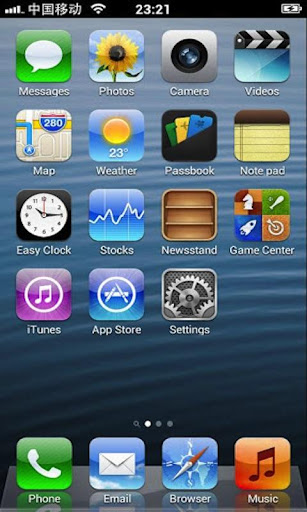
Description: iPhone 5 iOS 6 Retina HD Pro is an iPhone Style launcher for Android.
You can get the iPhone user experience in Android Phone! Major Features - Support iPhone iOS 6 UI Style
- Support all iPhone Launcher feature
- Support Same look and touch feeling with iPhone
- Support Search desktop: a convenient search applications, contacts, SMS, e-mail.
- Support for Themes to choose a different style desktop.
- Support iPhone Wallpaper Setting
- Support iPhone Icon Folder
- Support High Quality Icons
- Support restore default feature
- Support customize application icon & name;
- Support hide application icon;
- No difference between the icon rendering and arrangement and iPhone
- No Ads
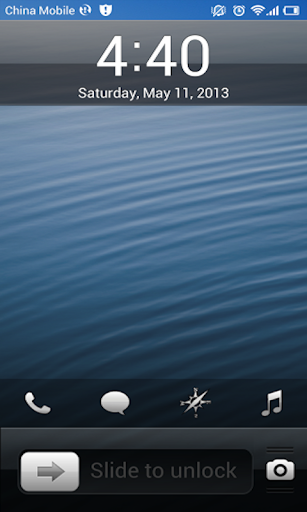
- Support iOS7 iPhone Lock Screen with configuration function Major Operation Mode
- Long press icon to enter into the icon editing mode
- Under Edit mode you can drag the icon position
- Under Edit mode you can click on the icon in the upper-left corner of the "X" icon to quickly delete the shortcut or uninstall applications
- Under Edit mode you can click on the icon in the upper-right corner icon to hide and rename applications.
- Under Edit mode you can drag and overlap icon to create a folder
- Under Lock screen Long press Camera button to popup Call, Music, Browser,Message button. Click Call button will switch the Camera and Call.
Tags: iPhone Style, iOS, Launcher, Folder, Wallpaper, Screen Lock, iOS7 Thanks!

Android OS Requierements: 1.6+

Screenshots:

More info:
DigiCal+ Calendar & Widgets v0.7.1


reznaf | 3:00 AM | , , , , ,


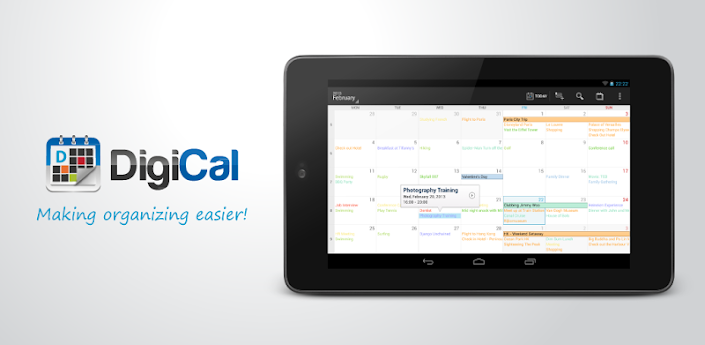
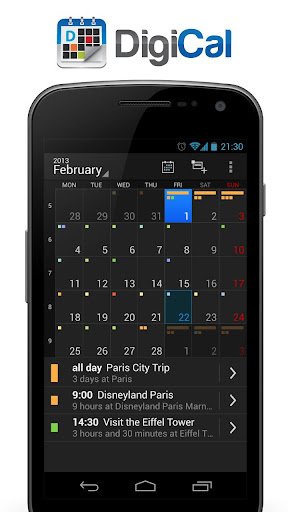
Description: Experience the most stylish Android calendar with Holo light and dark themes with 6 powerful calendar views and 4 beautifully designed widgets!

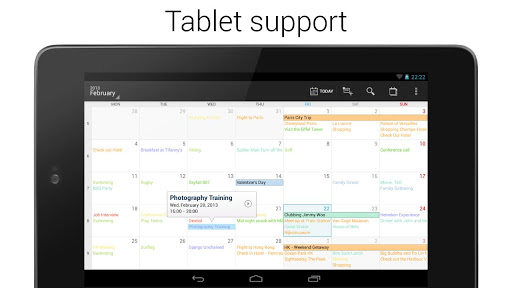
DigiCal is a stylish and easy to use calendar application that syncs all your appointment with Google Calendar. You can choose from six powerful calendar views (day, week, agenda, month, text month and list) in both portrait and landscape mode for an optimal user experience. Following the latest Android Holo Light and Dark theme, DigiCal is bringing the clean and intuitive user interface experience to smartphones and tablets running the Android versions 2.2 or higher. DigiCal also comes with four beautiful widgets (list, grid, day and day list).

DigiCal’s innovative features such as the smart action bar make it easy to edit, move, copy, paste and delete events. With our unique built-in location search, adding a location to your event has never been easier. All you need to do is type in the name of the place (cafe, store, park) and DigiCal will automatically look up the address and save it. With this feature, Google Now (Android 4.1+) knows where you'll need to go. It'll watch current traffic, plan your route and notify you when you should leave.

An event pop-up will appear with detailed information, when an event is selected in the day, week and agenda views, this allows you to easily go through all your events without the need of opening and closing the pop-up for every individual event. Gestures like pinch to zoom and swipe to navigate are also supported. For example, you can quickly go through the dates in all the calendar views by swiping left or right.

Discover how DigiCal can help you stay organized and become even more productive!

✓ Six unique calendar views (day, week, agenda, month, text month and list) including landscape mode
✓ Available in stylish Holo Dark and Light theme
✓ Four beautiful and fully customizable widgets (list, grid, day, day list).
✓ Stylish and intuitive user interface consistent with the Android Holo theme
✓ Fully compatible with any device running Android 2.2 or higher
✓ Smart action bar for quick editing, moving, copying, pasting and deleting events
✓ Built-in location search to quickly add locations to your events
✓ Support for Google Now (Android 4.1+), enabling it to notify you when it's time to leave for your appointment by planning your route, checking traffic and calculating your travel time
✓ Event pop-up makes it easy to go through your individual events
✓ Gestures like pinch to zoom and swipe to navigate are supported
✓ Improved notifications with shortcuts for snooze, map and navigation

There is also a paid version DigiCal+ available at https://play.google.com/store/apps/details?id=com.digibites.calendarplus that is ads free and offers more widget configuration options: background transparency and custom font sizes.

If you require assistance or want to give us some feedback or suggestions, please feel free to contact us on digical@digibites.nl. You can also check out our FAQ first, there may already be an answer to your question. We cannot reply on your comments, so please send us an email instead if you have any questions!

Android OS Requierements: 2.2+

Screenshots:

More info:
Clean Widgets v3.1


reznaf | 10:00 AM | , , , ,


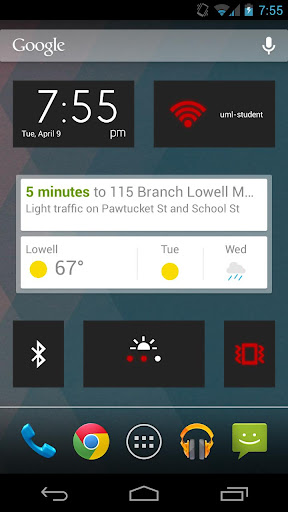
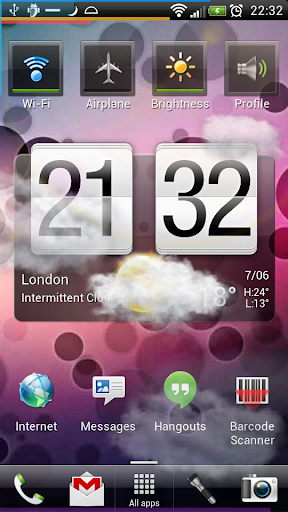
Description: Clean Widgets is a collection of home screen widgets for Android phones and tablets. It contains two clocks, two battery meters, and toggles for 8 different settings (Airplane mode, auto-sync, auto-rotate, Bluetooth, brightness, flashlight, vibrate mode, and WiFi). All of the widgets have customizable colors and backgrounds, and many have other options that can be changed.
To use Clean Widgets once you've bought them:
On Gingerbread and below, touch-and-hold on your homescreen and select "Widgets". Find the widget you'd like and touch to select it.
On Honeycomb/Ice Cream Sandwich and above, open the app drawer and press the "Widgets" button. Find the widget you'd like, touch-and-hold, and drag the widget to where you'd like it on your homescreen.
Clean Widgets is updated often, and if you already own Clean Widgets these updates are free of charge. Please take the time to rate and review, your input is read and valued!

Android OS Requierements: 2.1+

Screenshots:

More info:
Battery Widget Reborn v1.6.0/PRO


reznaf | 12:30 PM | , , , ,


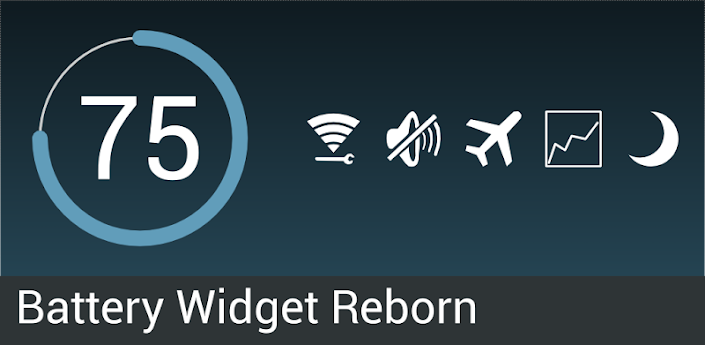
Description: This is is Pro version of Battery Widget? Reborn! application.

This app provides following functionality:

Battery widget
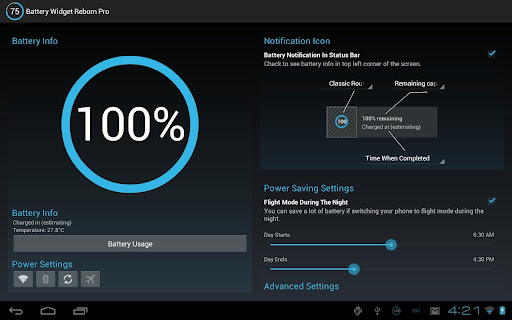
- circle battery level indicator indicator perfectly fits pure Android design
- resizable on Android 4.x+
- support for both main and external dock battery (Asus Transformer only)

Basic battery info
- Battery Info
- Shortcuts to Power-Summary/Background Sync/Wifi/BT Settings

Status bar notification of battery status
- multiple icon styles
- prediction (estimation) how long battery lasts
- customizable texts in notification area (estimated time left, voltage, temperature, battery health)

Power saving functionality
- automatic airplane mode during the night (simple but powerful battery saver functionality)

Charging and discharging chart

Extended notifications support for Jelly Bean phones
- optional charging and discharging chart
- power related toggles:
- Wifi
- Bluetooth
- Background Sync
- Airplane mode
- customizable notification priority

Holo themes interface on all phones with Android 2.3+

Specific HW vendor support
- supports Motorola 1% increment
- supports Asus Transformer secondary (dock) battery

Installation and operation notes
=======================
- Task Killer or Task Manager may affect this app. Please don’t use them if app does not work as expected
- App is highly optimized and DOES NOT drain you battery
- Known issues are at http://www.batterywidgetreborn.com/known-bugs.html you can prioritize bug fixes and enhancements there by voting
- Frequently asked questions are at http://www.batterywidgetreborn.com/faq.html, look there before sending support request
- Due to the limitation of the Android platform, homescreen widgets will NOT be available if application is moved to SD card.
- Some devices indicate battery level every 10% due to their kernel design (known ones are: most Motorola devices including Droid and Atrix series, Samsung Moment series). Try to use Motorola 1% hack feature if your phone is among these devices
- In Android 4.0, the system may shrink and dim level indicator icons in status bar.

UI is more or less translated to German, Chinese, Dutch, Polish, English, French, Czech, Spanish, Italian, Portuguese and Russian.

Android OS Requierements: 2.3+

Screenshots:

More info:

Widgetizer Widgets v1.0


reznaf | 4:00 PM | , , , , ,


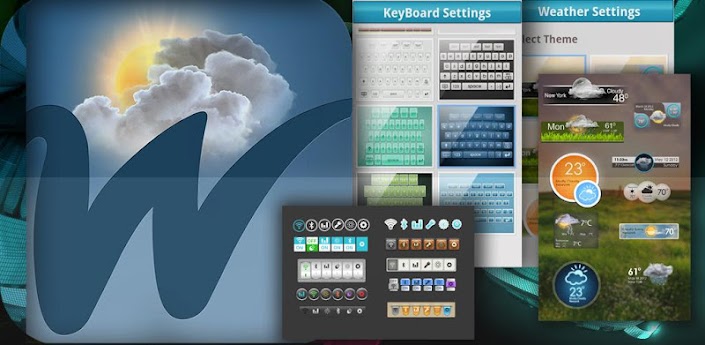
Description: Lexron Technologies introduce to you the luxurious new widgets. These widgets are highly anticipated and designed by our company.They fill in with every smartphones desired intentions. Luxury and Elegance is what these widgets resemble. the elegance of widgets to suite your smartphones rich perfection. Tested on HD resolution smartphones such as the Samsung Galaxy SIII and NOTE II. The major customization of your device lays in this app. The app is the definitely worth a buy. Please leave any suggestions or comments in the comment box.
NOW INTRODUCING QUICK-BOARD
The keyboard is capable of putting up to
5 apps on the quick-bar, which helps get things
done faster!
FEATURES:
CLOCK
WEATHER
WEATHER & CLOCK
TOGGLE SWITCHES
KEYBOARDS
LIKE OUR FACEBOOK PAGE:
http://www.facebook.com/pages/Widgetizer/601930663154660?fref=ts
ON SALE FOR THE GRAND UPLOAD!!!!
LIMITED TIME!!!!
UPDATES WILL BE COMING
HD resolution widgets
Works with all phone devices
No guarantee for tablets or rooted device.
ENJOY!
DEVICES:
HTC
SONY
SAMSUNG
NOKIA
LG
MOTOROLA
AND MORE
Tags:
android google play iphone apple customization themes widgets htc one nokia sony how to get free apps intel verizon sprint metro pcs t mobile harlem shake cydia facebook twitter tweaks amazon ebay beats bose pioneer playstation 4 grand theft auto v microsoft xbox 360 abc news snapdragon ios windows 8 chrome tools utilities dell cnet top apps android authority bing entertainment technology hd angry birds temple run 2 acer latest apk rating reviews youtube yahoo music song viral make it look cool custom honda toyota galaxy nexus, nexus 7 Shop Google Play on the web. Purchase and enjoy instantly on your Android phone or tablet without the hassle of syncing his tablet is designed to go wherever you go -- and now with up to 32GB of storage, and the ability to connect to most mobile data networks -- Nexus 7 is your perfect travel companion A no compromise Android tablet.With the latest version of Android, a stunning 7-inch display, powerful quad-core processor, up to 10 hours of web browsing or e-reading, and a staggering 300 hours of standby time, Nexus 7 was built for top of the line grab-and-go performance Youtube poop modernwarfare 3 halo 4 gameplay montage trailer teaser assassins creed relevations raywiiliam johnson owned noob lol ownage n00b fail epic win WTF wTH own vet black racist steroetype your favorite martian update rihanna justin bieber taylor lautner new twilight movie edward moon bella time mw3 1 2 3 4 5 COD gay day systemof a down greyson chance JB purple boob animation stop motion movie VFW epic meal time canada byob taylor swift lady gaga notepad matrix reloaded comments copyright LCE justin bieber drums oaoarazzi bad romance falcon kick epic kick this is sparta lonely island disney fail rollercoaster break flung off accident fail blog 15 minutes promote upload video partner cash runescape combat arms pp19 ak 47 ak 74 LAW 40mm machine gun m203 grenade launcher bizon trench gun zombie nazi mp40 mp 40 commando specter dragons breathe spas 12 24 stake out ghost recon future soldier kinect E3 meeting sony PSN playstation network xbox live chris chan these new puritans assasins creed brother hood airsoft paintball evike coupons airsplat scoutthedoggie ireland england field course CQB m4a1 m16 RPG scope ACOG red dot fire works black powder mix fse sugar rocket report smoke tail nite night biggest firework ever world record long sparkler bomb parkour hardcore urban ninja eldest eragon harry potter trailer part 1 2 video game leaked movie public publix winn dixie mcdonalds windy burger king taco bell cheese burgers and more chuckecheese stalker key stab rip hidden blade how to weld youtube facebook twitter processor falling code script gamemaker endorphin wax 2.0 debug mode lsmaker paint windows movie maker flash grenade VFX awesome nuke and explosion effect rick and bobbit fred freddiew digital corridor corrdor digital running vet vs punk gangsta china sponge bob mario a

Android OS Requierements: 2.0+

Screenshots:

Download Instructions - APK:

HD Widgets v3.8.2


reznaf | 7:10 PM | , , , ,


Description: HD Widgets does two things: gives you great looking widget and makes it fun and easy to customize them.

The app includes a dozen colorful, widgets including special tablet-sized widgets for 7" & 10" Honeycomb tablets. Most display time and weather while the larger ones include your choice of 5-day forecast or utility switches.

The best part of HD Widgets is how fun and easy it is to use. Everything in the app is swipe-able: the menu, the pages, and the options. You just swipe left and right to change details on the fly. You can mix and match 30 different clocks (LED, flip clock, and Honeycomb) with backgrounds, layouts, and options. Simple!

App Features
- fullscreen tablet app
- fun & unique "slidey-nav" UI
- quick and easy editing
- visual configuration
- page swiping, menu swiping, option swiping
- Fullscreen weather activity
- HD weather icons
- quick tips to help you get started

Widget Features
- lots of beautiful widgets
- clock, date, location, weather, forecast, & utility switches
- LED, Flip Clock, & Honeycomb clock designs
- over a dozen backgrounds
- large made-for-tablet widgets
- 100s of configurations
- hot spots for alarm clock, calendar, & weather

Options
- choice of AccuWeather or WeatherBug service
- 12 / 24 hr clock
- F / C temperature

What's in this version:
3.8.1 - 3.8.2
- bug fixes

Android OS Requierements: 2.2+

Screenshots:

Download Instructions - APK:

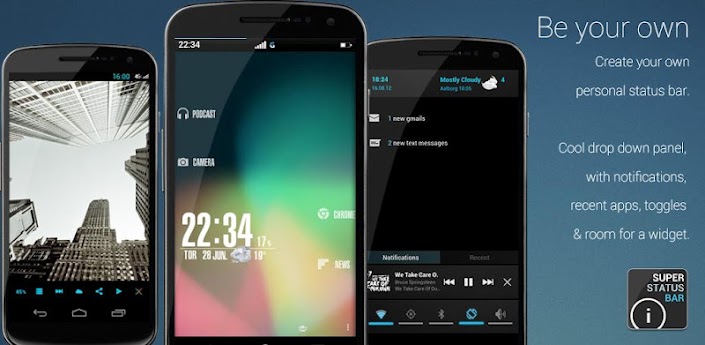
Super Status Bar Premium v0.16.6.3


reznaf | 12:51 PM | , , , , ,


Description: UNIQUE STATUS BAR WITH TRANSPARENT BACKGROUNDS WITHOUT ROOT!
NOW SUPPORT DOWNLOADABLE THEMES f000h
CREATE YOUR OWN AND SHARE IT ON GooglePlay: bit.ly/OL8Cmk

At last a bar and a custom notification panel to suit the user!
And without losing features!

Super Status Bar is the notification bar you always wanted.
Not a Root? because there is no problem, Super Status Bar is here to change things!Customize your taskbar to the smallest detail!

With Super Status Bar can change the position of the icons in the status bar, you can change your appearance, use the backgrounds that you like, download new themes each week, change the text fonts, simplify your status bar to a minimum expression or extend it until the unimaginable features, all to make your status bar to your liking and not liking the manufacturer.

Choose from a large number of themes and also ... be the first to test the status bar ICE CREAM SANDWICH!

You can see the notifications on the lock screen or even while you play!
You only have to activate Accessibility options Android

Now you can customize the notifications panel!

You'll also have quick access to the most important system notifications without having to deploy the notification bar, with direct access included in the application, such as calls, sms's or gmail's

And if this were not enough, you can enjoy the new notifications panel which add more features to the classic status bar, things like shortcuts to switch wi-fi, bluetooth, gps, mute and more.
Better and more complete than statusbar+ or omega statusbar

This app is in beta, please used the comments to suggest improvements and not rate adversely.
If you have a problem used aid included in the app and if you find no solution send me an e-mail

ATENTION:
SDCARD is required to save settings & background

NOTE:
The logs are read only to send the FC that may cause by the app.
I DO NOT PICK UP PRIVATE USER DATA!

Recent changes:
- Huge memory optimization
- Added transparent backgrounds for iLlusory™ mode
+ Fixed non carrier bug using downloadable themes
+ Fixed compilation errors

Android OS Requierements: 2.2+

Screenshots:

Download Instructions - APK:

Battery Widget Plus v2.7


reznaf | 1:04 PM | , , , , , ,


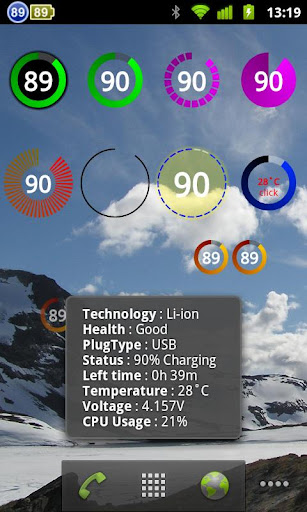
Description: Check the battery status of your ANDROID.

BatteryWidget shows an exact battery level on the status bar, health, temperature, voltage, CPU usage.

Clicking once installed widget, the widget shows the temperature and voltage.
Double-click the Setup screen appears.

If you find bugs, want to add new features or help me translate this app into other languages, please contact me by email.

English, French, Italian, Polish, Russian, Dutch, Hungarian support.

Feature

1. Charge, Discharge, Warning, Danger, Full charging alarm.
2. Battery status indicator on the status bar notifications.
3. 1x1 widgets in the form of pie charts.
4. It is possible to change the color, size, position and resolution of the widget.
5. Temperature, voltage, battery life, charging, screen status logging.

Plus version only

6. Supports the additional status bar icons. (ICS support)
7. Wi-Fi, CPU usage logging.
8. Show the estimated time for charging or discharging.

How To install the widget:
Android 2.3 or less : Long press on any empty space on your homescreen, Click on the widget menu then click on the widget you want to install.
Android 3.0 : Click on the upper right corner of the homescreen, Click on the widget menu then drag on the widget you want to install.
Android 4.0 or late : In the app list screen, Click on the widget menu then drag on the widget you want to install.

What's in this version:
Enhanced widget resolution and position.
Center-aligned single-digit status bar icon.
Minor bug fixes.

Android OS Requierements: 2.1+

Screenshots:

Download Instructions - APK:

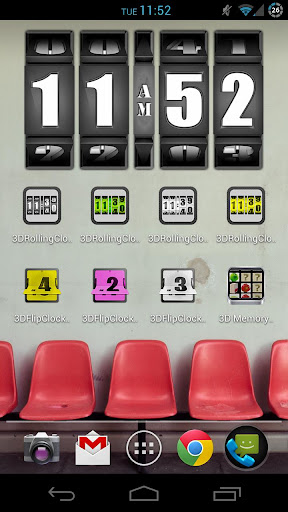
3D Rolling Clock PRO v4.1.2


reznaf | 10:16 AM | , , , , ,


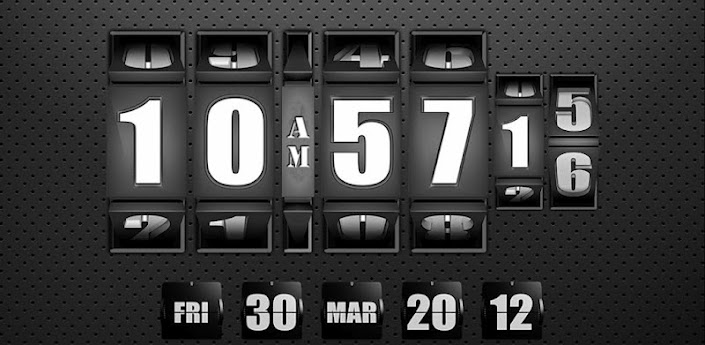
Description: 3D Animated Rolling Clock with widgets in high resolution!

★ New 3D Design of our animated rolling clock widgets.
★ Now with 10 ANIMATED WIDGETS, 8 colors, full customizable live wallpaper, 4 fullscreen calendars and clocks.
★ More than 600.000 users downloaded our rolling clocks (free and pro).

☆☆☆ Newcomer award-winning widget-app at the DROID-Convention 2011 ☆☆☆

★ This PRO version unlocks all features, which are disabled in FREE versions, and disables advertising in all free clocks.

★ This is the original Animated Rolling Clock in 3D black, redesigned in retro optics with rendered 3D graphics. It looks like a combination lock, where the digits are rolling and rotating.

☮ Countdown and alarm coming soon. Be patient.
✔ Choose your favorite colored theme (GOLD, PINK, RED, YELLOW, WHITE, GREEN, BLUE, BLACK) and setup a custom background (image or gradient) for your live wallpaper.
✔ You can use the live wallpaper as first option, because it runs very stable and smooth and is visible on all homescreens and your lockscreen.
✔ Choose which app should start after touch-action!
✔ It combines 9 different clock widgets (1x1, 2x1, 3x1, 4x1, 4x2, 5x2) and
one date widget (4x1).
✔ Shows the time (12h or 24h) including seconds with am/pm, depending on the configuration and widget you chose!
✔ Our widgets are compatible with all launchers like LAUNCHER PRO, Nova Launcher ...
✔ New calendar and fullscreen clock. Both can be viewed in landscape and portrait mode.
✔ Ready for ICE CREAM SANDWICH and HONEYCOMB (including activated hardware rendering mode)

☮☮☮☮☮
☮ Animating widgets only work with using some nice tweaks in code.
☮ THERE ARE NO PROBLEMS WHICH COULD NOT HAVE BEEN SOLVED, YET!
☮ PLEASE DO NOT UNDERRATE OUR APP, SEND US AN EMAIL AND WE ANSWER YOU!!
☮☮☮☮☮

In order to give you a free app and keep developing more free apps in the future, we are integrating a search tool to our application. This will add a few access points to your device (hence the permissions) to direct you to the web search service. Please consider using the search to help us keep creating apps. You may delete the search icon, bookmark and homepage easily. Thank you.

Android OS Requierements: 2.2+

Screenshots:

Download Instructions - APK:

Related Posts Plugin for WordPress, Blogger...