Showing posts with label System. Show all posts

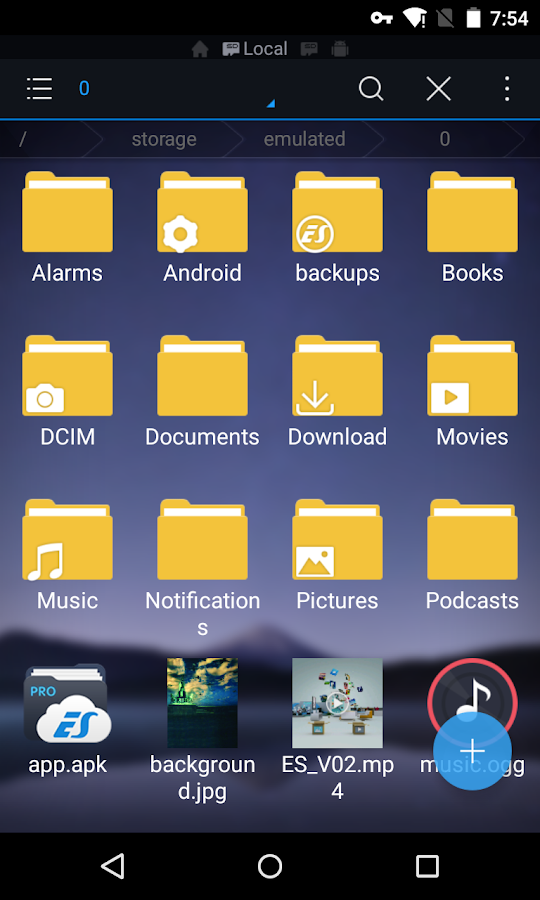
ES File Explorer Pro v1.0.4


reznaf | 6:00 AM | , , , , ,


Description: ES File Explorer (File Manager) PRO version will continue to provide you high quality and good service as always
With ES File Explorer (File Manager) PRO version you can:
√ Remove Ad an Ad free version 
√More to customize updated color panel and more sart page options
√more to explect ES File Explorer (File Manager) team will keep improving the app and strive to keep it the #1 most powerful file manager for android. 
√more theme options Following Google material design and more theme options coming soon
With ES, you can access your FTP server, Wi-Fi file transfer, Bluetooth file transfer and connect your chromecast device easily.
Highlights of ES File Explorer (File Manager) PRO:
★ File Manager: Easily list any kind of file, libraries for all Music, Picture, and Video files. Connect file on PC, Mac, Linux Server, Phone, Tablet, Clouds
★ File Transfer: Transfer file from PC to Mobile, Mobile to Mobile, Mobile to PC
★ Cloud Management: ES supports Dropbox, Box.net, Sugarsync, Google Drive, OneDrive-SkyDrive, Amazon S3, Yandex and many other clouds platforms.
★ SD card analyst: with ES you can analyze your sdcard usage and manage files as needed according to the results
Features and Benefits of ES File Explorer (File Manager):
►File Manager: Access to your Phone SD card, External SD card and Phone Internal Storage, Manage your files just like you do on your desktop or laptop using Multiple Select, Cut/Copy/Paste, Move, Create, Delete, Rename, Search, Share, Send, Hide, Create Shortcut, and Bookmark
►App Manager: Categorize, uninstall, back up, create shortcuts to your apps and delete APK files
►Remote File Manager: When this feature is enabled, you can manage files on your phone from your PC, tabelt, Mac, Linux Server
►Archive manager: Allows you to compress and decompress ZIP files, unpack RAR files, 7z files, and create encrypted (AES 256 bit) ZIP files
►Built-in viewers and players for various file types: Including photos, music, and videos; supports third-party applications such as Quick Office for efficient and better productivity
►Shows thumbnails: For APKs and images
►Text viewers and editors
►Access your home PC: Through your smartphone via WiFi with SMB
►Functions as an FTP and WebDAV client: Manage files on FTP, FTPS, SFTP, and WebDAV servers just like you manage files on your SD card
►Bluetooth file browser: You can copy and paste files between Bluetooth-ready devices. ES File Explorer (File Manager) supports OBEX FTP for browsing devices and transferring files between Bluetooth devices
►Kill tasks with a single click, increase memory and speed up your device: Includes a simple widget that stays on your home screen to let you know your current RAM status and automatically kill tasks, with an ignore list for the applications you want to keep running. The Task Manager module is required for this feature.
►Cache Cleaner and Auto-start Manager: Delete junk files that take up valuable storage space. The Task Manager module is required for this feature.
►Root Explorer: The ultimate set of file management tools for root users. Provides access to the entire file system and all data directories, and allows the user to change permissions.
►Supports Multiple Languages: English, Russian, Japanese, Korean, French, Spanish, German, Italian, Czech, Hungarian, Ukrainian, Tamil, Catalan, Turkish, Lithuanian, Portuguese and many more...

Android OS Requierements: 4.0+

Screenshots:
More info:

Google Play services v8.1.05


reznaf | 11:00 PM | , , , ,


Description: Google Play services is used to update Google apps and apps from Google Play.
This component provides core functionality like authentication to your Google services, synchronized contacts, access to all the latest user privacy settings, and higher quality, lower-powered location based services.
Google Play services also enhances your app experience. It speeds up offline searches, provides more immersive maps, and improves gaming experiences.
Apps may not work if you uninstall Google Play services.
Android OS Requierements: 2.2+

Screenshots:

More info:
https://play.google.com/store/apps/details?id=com.google.android.gms

Download Instructions - APK:
Google Play services 8.1.05 (2218116-230)
https://userscloud.com/ubgkrzlscjmw 

Google Play services 8.1.05 (2218116-236)
https://userscloud.com/8nniszzd62tj 

Google Play services 8.1.05 (2218116-238)
https://userscloud.com/bnha2hs4o9s4 

Google Play services 8.1.05 (2218116-248)
https://userscloud.com/e3y8wjpfwj9q 

Smart Booster Pro v5.5


reznaf | 5:00 PM | , , , , ,


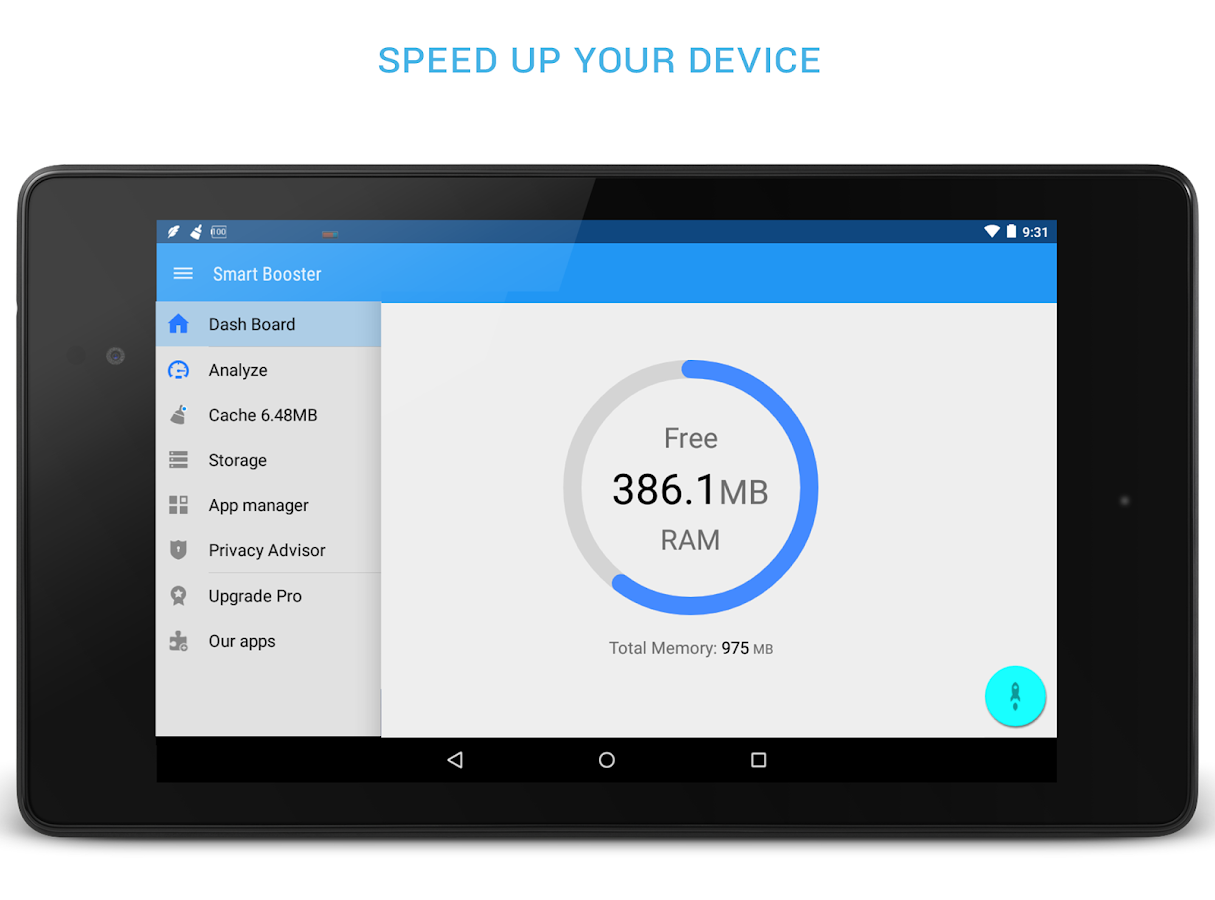
Description:  Smart RAM Booster: small widget to adaptively boost RAM from anywhere 
► Fast cache cleaner: one click to clean cache
► Quick SD Card cleaner: efficiently scan and clean junk created by million apps
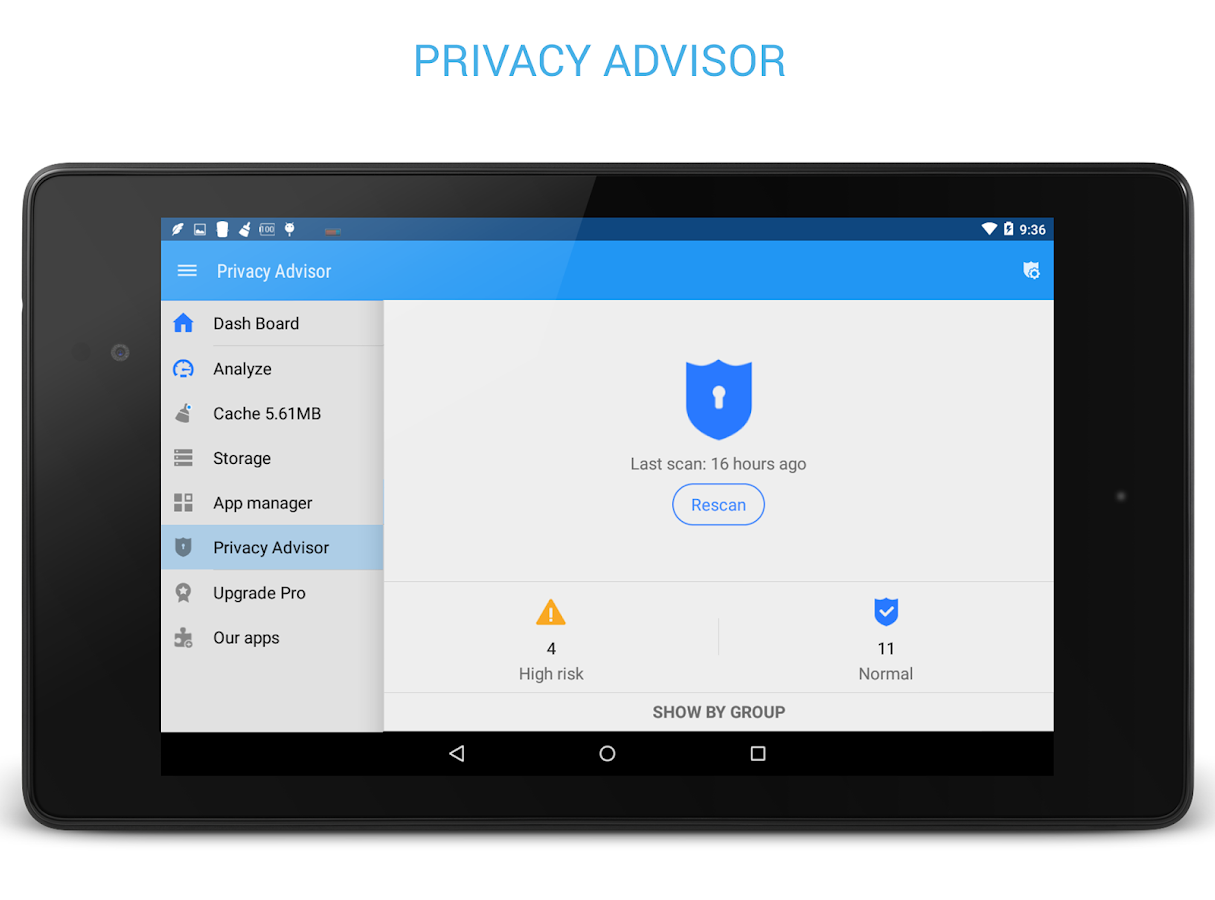
► Advanced application manager: optimize your devices by hibernate, disable, auto-start apps
Recommended by AddictiveTips. Hotest Apps by AppBrain.
Smart RAM Booster
The most beautiful part of this app is a small, configurable widget that places on top of any app and one-click to RAM boost.
Most of Android devices bundle with limited memory. Android task manager will selectively kill low priority tasks in order to
reserve memory to higher priority task. That’s not always run at an appropriate time, causing low responsive apps, lagging,
especially when you launch a new app after heavily browsing web pages. It causes a worse experience.
RAM Booster comes with auto-boost in 4 levels: aggressive, strong, medium, gentle.
☆ Aggressive: kill most of low priority apps
☆ Strong: Kill apps that is low priority as well as consume lightly below an “average”
☆ Medium: kill apps that consumes memory above an “average”
☆ Gentle: kill only apps that uses considerable memory
There are 5 ways to boost
☆ Auto-boost: boost automatically under RAM available & timing conditions
☆ Overlay widget – Enable RAM Booster overlay widget (on by default), adjust widget’s position, and tap on widget to boost anytime you want
☆ Home screen widget – one tap to boost (long-press your home screen>Widget to add RAM Booster widget)
☆ Notification bar – one tap to boost (toggle notification bar visibility in app’s setting)
☆ Boost Now – tap this button from app’s main screen
Fast cache cleaner
☆ 1-click to clean cache
☆ Show detail internal cache and external cache
☆ Select apps that use most cache
Quick SD Card cleaner
☆ Show SD card partition
☆ Scan for junk folder, big files, orphaned files
☆ Nice photo cleaner, music cleaner
☆ Notify for low storage usage
Advanced application manager
☆ Easily backup, uninstall unused apps
☆ App2SD - recommend apps to move to sd card
☆ Hibernate rarely used apps to save battery
☆ Disable system apps
☆ Scan auto-start apps
☆ Manage backup (.apk) files

Android OS Requierements: 2.3+

Screenshots:

More info:

1Tap Cleaner Pro v2.62


reznaf | 11:00 PM | , , , , ,


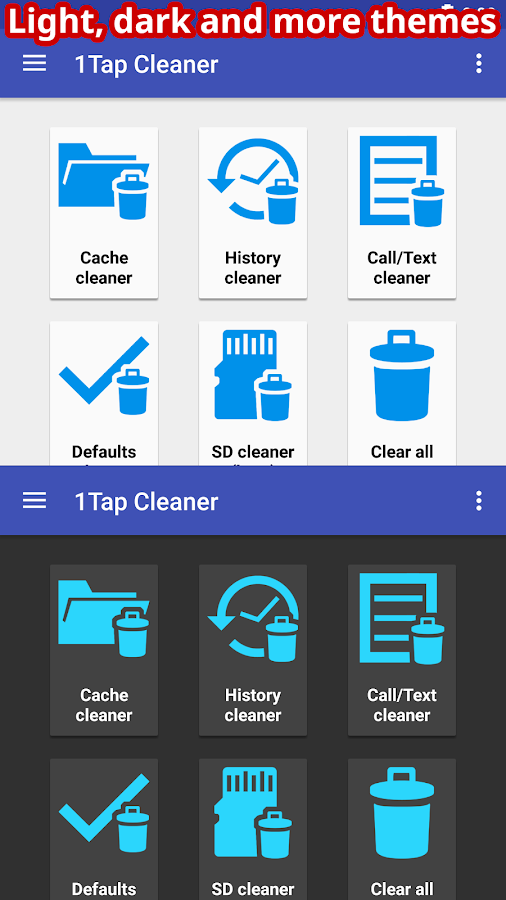
Description: 1-Tap to clean all cache, search histories and calls log. A defaults cleaner is also included.
Are you running out of application storage?
You now can get more available storage space by clearing apps created cache/data files.
*** Over 5,000,000 Downloads! ***
★ Cache Cleaner
★ History Cleaner
★ Call/Text log Cleaner
★ Defaults Cleaner
★ SD Cleaner
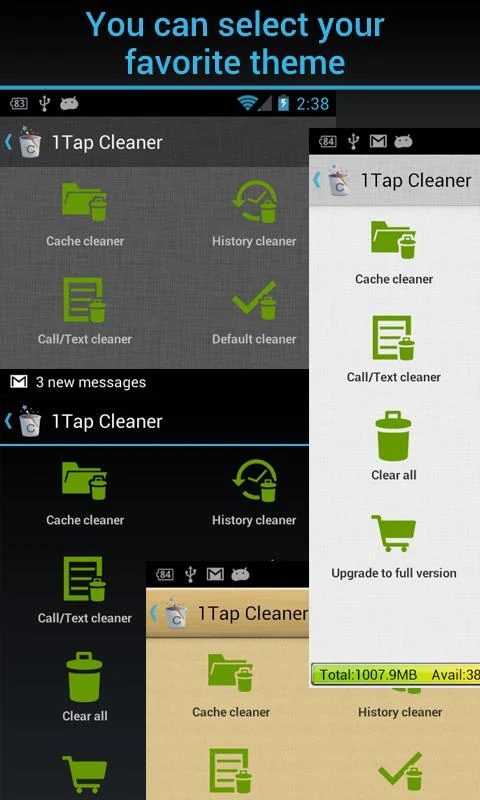
There are four cleaners included in this app. Cache Cleaner, History Cleaner and Call/Text log Cleaner help you to get more free space for the internal phone storage by clearing apps cached files, data files, or search/navigation history records. If you have selected to launch apps by default for some actions. Defaults Cleaner helps you to clear the default settings.
Auto or 1-tap to clear all cache, search history, calls log and the best is you don't have to ROOT the phone anymore! This app is crucial to anyone who has memory management issues.
★ 1-tap to clear all cached files
★ 1-tap to clear all search and browser navigation history records
★ 1-tap to clear calls log (incoming, outgoing, missed, frequently contacted)
★ list all default apps and clear selected defaults
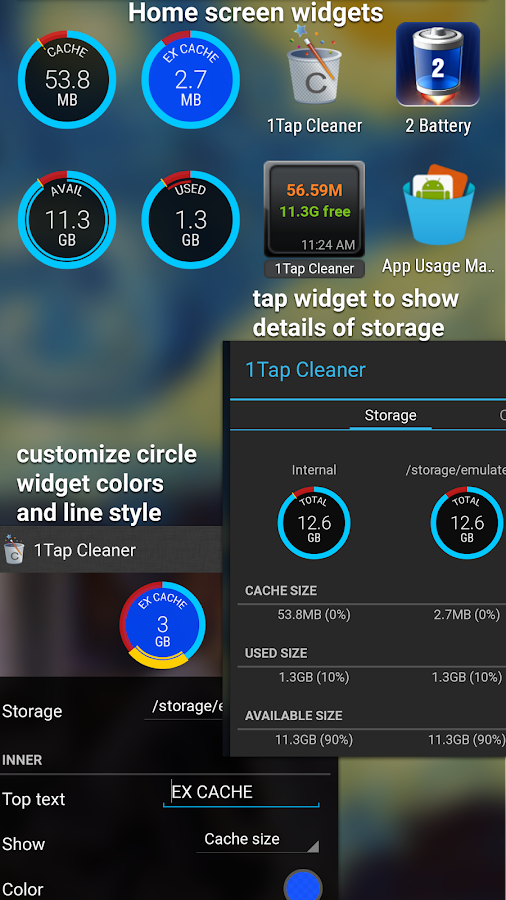
★ home screen widget shows cache and available size
★ auto clear all cache and history at a specified interval
★ auto clear cache when the device is low on internal storage space
★ clear cache or history for a specified application
★ notify if apps used cache size large than you specified value
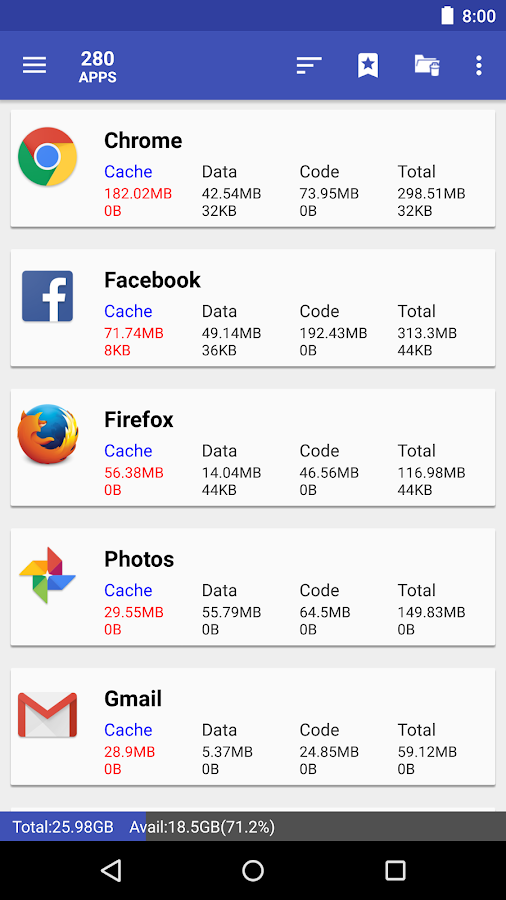
★ list applications by either cache, data, code, total size or app name
★ view application on Market
★ uninstall application
★ open application
★ show application details page

Android OS Requierements: 2.2+

Screenshots:

More info:

AppMgr Pro III (App 2 SD) v3.65


reznaf | 9:54 PM | , , , , ,


Description: Support app 2 sd for more Samsung/ASUS/HTC devices, need upgrade to the latest ROM, contact device manufacture about how to upgrade or when they will release app 2 sd enabled ROM.
AppMgr (also known as App 2 SD) is a totally new design app that provides the following components:
★ Move apps: moves apps to either internal or external storage for getting more available app storage
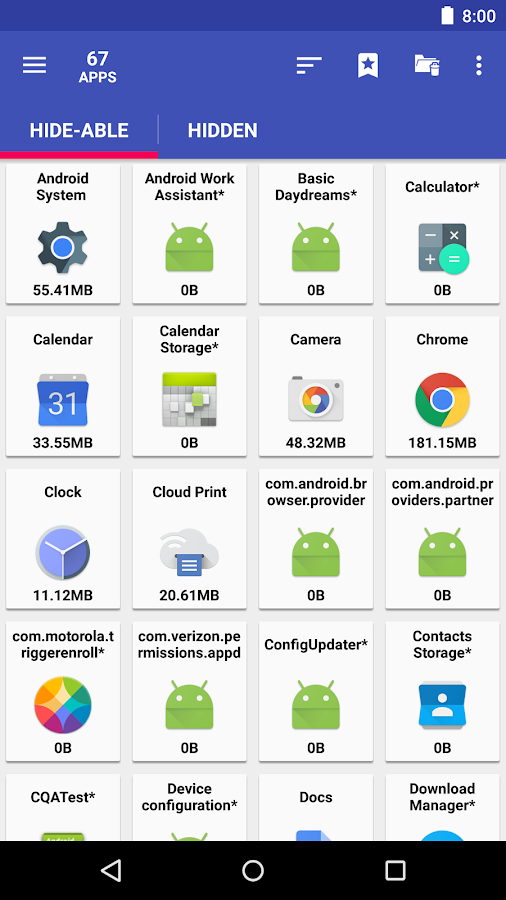
★ Hide apps: hides system (built-in) apps from the app drawer
★ Freeze apps: freeze apps so they won't use any CPU or memory resources
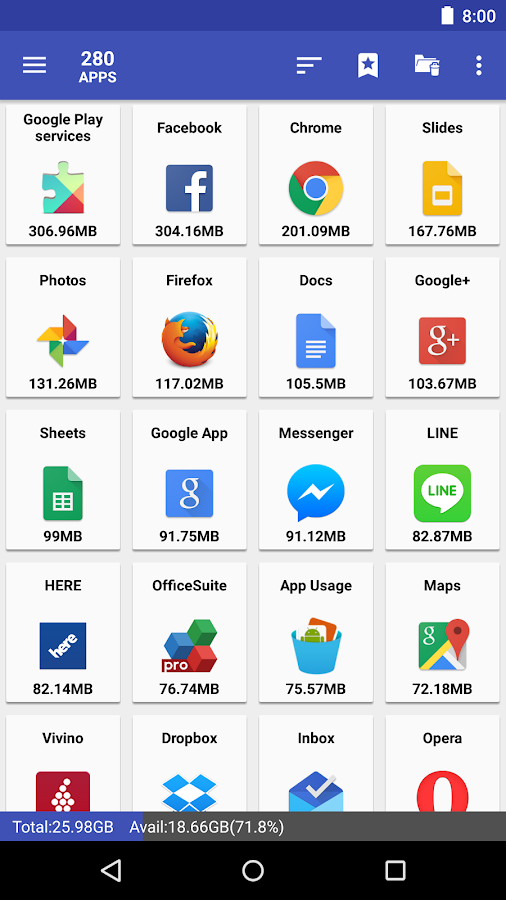
★ App manager: manages apps for batch uninstalling, moving apps or sharing apps with friends
* Over 30,000,000 Downloads! *
★ up-to-date UI style, themes
★ batch uninstall apps
★ batch move apps to external storage
★ notify when movable apps installed
★ hide apps from app drawer
★ freeze apps to a stop state
★ 1-tap to clear all cache
★ batch clear apps cache or data
★ batch view apps on Google Play
★ export the app list
★ install apps from the exported app list
★ quick uninstall or move an app by drag-n-drop
★ sort apps by name, size or installation time
★ share customized app list with friends
★ support home screen widgets
★ support Android 2/3/4/5
★ support "Move2SD Enabler"
★ customizable notification sound, vibrate and light
Move apps:
Are you running out of application storage? Do you hate having to check each and every app if it supports moving to the SD card? Do you want an app that automatically does this for you and can notify you when an app can be moved? This component streamlines the movement of apps to on your device's external or internal storage through your device's Settings. With this, you'll have more control over your ever expanding collection of apps. This is crucial to anyone who has memory management issues.
Hide apps
You don't care for all the apps your carrier adds to Android? Well, now you can get rid of them! This component enables you to hide system (built-in) apps from the app drawer.
Freeze apps
You can freeze apps so they won't use any CPU or memory resources and consume zero-battery. It's good for you to freeze apps that you would like to keep in device, but don't want them to run or be uninstalled.
We have been selected as a Google I/O 2011 Developer Sandbox partner, for its innovative design and advanced technology.
Note:
* Move apps function may not work on your device as manufacture removes the function of moving apps to SD from Android system
* Read user's manual or FAQ by going to: AppMgr > Settings > About

Android OS Requierements: 2.2+

Screenshots:

More info:

Battery Saver Pro v2.0.4


reznaf | 10:00 PM | , , , ,


Description: Battery Saver Pro is proud of being "EXTREMELY EASY" Android Battery Saver & Power Manager. This app helps users Save battery life with ONE-TAP by optimizing phone settings which functions as Memory Cleaner, App Killer, Task Killer, and Various Function Controller. On top of that, with Deep Sleep Mode Configuration - Normal / Smart / Advanced / Custom / you can easily change the Battery Saver Mode to prolong your battery life. App Consumption Mode geared as well, letting you understand which Application consumes the battery the most. Super useful battery saver widget, and many more features. If properly used, this app can save battery power up to 2x-4x more, boost your phone go lot faster! Master your save battery skills & phone boost skills. Yet, This app is Extremely Easy.

5 in 1 Toolbox Mix App! – One-Tap Optimizer including Memory Cleaner, Junk Cleaner, Task Killer, Functions Controller. Charging Mode - Track your phone remaining time. App Consumption Tracker - See which application consumes the battery the most. Deep Sleep Mode - Configure your custom saving mode with one-tap! And Super Easy Widget. 5 Features but it's still VERY EASY TO USE! Download this app/widget, become a master of Android Battery Saver & Power Doctor!

* POWER FEATURES *

★---1. One-Tap Optimizer (functions as Memory Cleaner/Junk Cleaner/Task Killer)---★
✓ Cleans up Memory, Kills tasks with extremely simple one-touch "Optimize" button to save battery!
✓ Indicates how many hours you can save with one-tap. Defend your phone from draining!

★---2. Sleep Mode Battery Saver---★
✓ Eventhough you are not using the phone, it syncs data every seconds that will drain your battery life.
✓ While not using your phone, set your "Sleep Mode" to save battery!

★---3. App Consumption Tracker / Uninstaller---★
✓ Tracks and shows you which app drains & save battery life at certain level
✓ Choose the app that drains the most and Uninstall/or/Force Stop to save time!

★---4. Remaining Time Tracker---★
✓ Indicates the remaining/limit time for Talktime,Game,Standby,AudioPlayback,MoviePlayback,WebSurfing,and Reading.
✓ Life level in percent (%) at status bar.

★---5. Power Doctor Widget---★
✓ Access your Battery Saver Function from Home screen Widget

Android OS Requierements: 2.3.3+

Screenshots:

More info:

1Tap Cleaner Pro v2.49


reznaf | 3:00 AM | , , , , ,


Description: 1-Tap to clean all cache, search histories and calls log. A defaults cleaner is also included.
Are you running out of application storage?
You now can get more available storage space by clearing apps created cache/data files.
*** Over 5,000,000 Downloads! ***
★ Cache Cleaner
★ History Cleaner
★ Call/Text log Cleaner
★ Defaults Cleaner
★ SD Cleaner
There are four cleaners included in this app. Cache Cleaner, History Cleaner and Call/Text log Cleaner help you to get more free space for the internal phone storage by clearing apps cached files, data files, or search/navigation history records. If you have selected to launch apps by default for some actions. Defaults Cleaner helps you to clear the default settings.
Auto or 1-tap to clear all cache, search history, calls log and the best is you don't have to ROOT the phone anymore! This app is crucial to anyone who has memory management issues.
★ 1-tap to clear all cached files
★ 1-tap to clear all search and browser navigation history records
★ 1 tap to clear calls log (incoming, outgoing, missed, frequently contacted)
★ list all default apps and clear selected defaults
★ home screen widget shows cache and available size
★ auto clear all cache and history at a specified interval
★ auto clear cache when the device is low on internal storage space
★ clear cache or history for a specified application
★ notify if apps used cache size large than you specified value
★ list applications by either cache, data, code, total size or app name
★ view application on Market
★ uninstall application
★ open application
★ show application details page

Android OS Requierements: 2.1+

Screenshots:

More info:

Minuum Keyboard v3.2.1


reznaf | 12:00 AM | , , , ,


Description:
MINUUM™ - The smarter, smaller keyboard that lets you do more with your screen space. It’s the little keyboard for big fingers!

Minuum takes up less than half the screen space of regular keyboards while still allowing you to type delightfully fast and surprisingly sloppy—all thanks to revolutionary new auto-correction. Spend 15 seconds with the introductory tutorial and you'll be able to start typing with Minuum—instantly. The more you type, the better Minuum gets.

BONUS PANELS
Minuum is always finding ways for you to enjoy your screen space through brand new bonus panels:
★ EMOJI—Add fun to all your messages via immediate access to 856 emoticons
★ CURSOR CONTROL—Tweak your texts, emails, and posts with ease
★ CLIPBOARD TOOLS—Quickly cut, copy and paste
★ SEARCH & SHARE—Instantly access thesaurus, dictionary, Google search, and share functionality
★ TYPING SPEED—Monitor your typing speed

MULTI-LANGUAGE CAPABILITY
Download language modules and quickly switch between them. We currently support:
• English
• Spanish
• French
• German
• Italian
• Portuguese-BR
• Russian
• Dutch
• Swedish (beta)
• Czech (beta)
• Polish (beta)
• Portuguese-PT (beta)
• Turkish (beta)
• More coming soon!

SMART WATCH SUPPORT
Minuum is the ideal keyboard for the small screens of smart watches. To try Minuum on your smart watch, sign-up for our smart watch mailing list:http://minuum.com/watch

DISCOVER MORE
The Minuum keyboard for touchscreens is the first step toward a "type anywhere" future. Smart watches are just the beginning. Soon Minuum will let you type in ways you never imagined. For more information: http://www.minuum.com

FEATURES AT A GLANCE
• MORE SCREEN SPACE
Recover more than half of the touchscreen space you lose when using traditional virtual keyboards.
• FAST SLOPPY TYPING
Type fast without worrying about precision, thanks to ridiculously smart auto-correction that learns as you type.
• HELP FOR THE LARGE-FINGERED
Use key magnification for precise letter, number, and punctuation entry—very useful if you have large fingers.
• FAMILIAR KEYBOARD LAYOUT
You already know how to type with Minuum—it’s just your familiar layout, minimized.
• DIFFERENT ALPHABET ARRANGEMENTS
Choose from alternate keyboard layouts—such as “QWERTZ,” “AZERTY,” “A-Z.”
• EXPANSION TO FULL-SIZED KEYBOARD
Drag on the candidates bar to quickly switch between mini and full-size modes (useful for URLs and passwords).
• SMART WORD PREDICTION
Speed up your typing via suggestions from a predictive engine that learns from your word list, word combinations, and language use patterns.
• VOCABULARY CONTROL
Minuum learns from your vocabulary, and lets you delete words from your dictionary though a pop-up display.
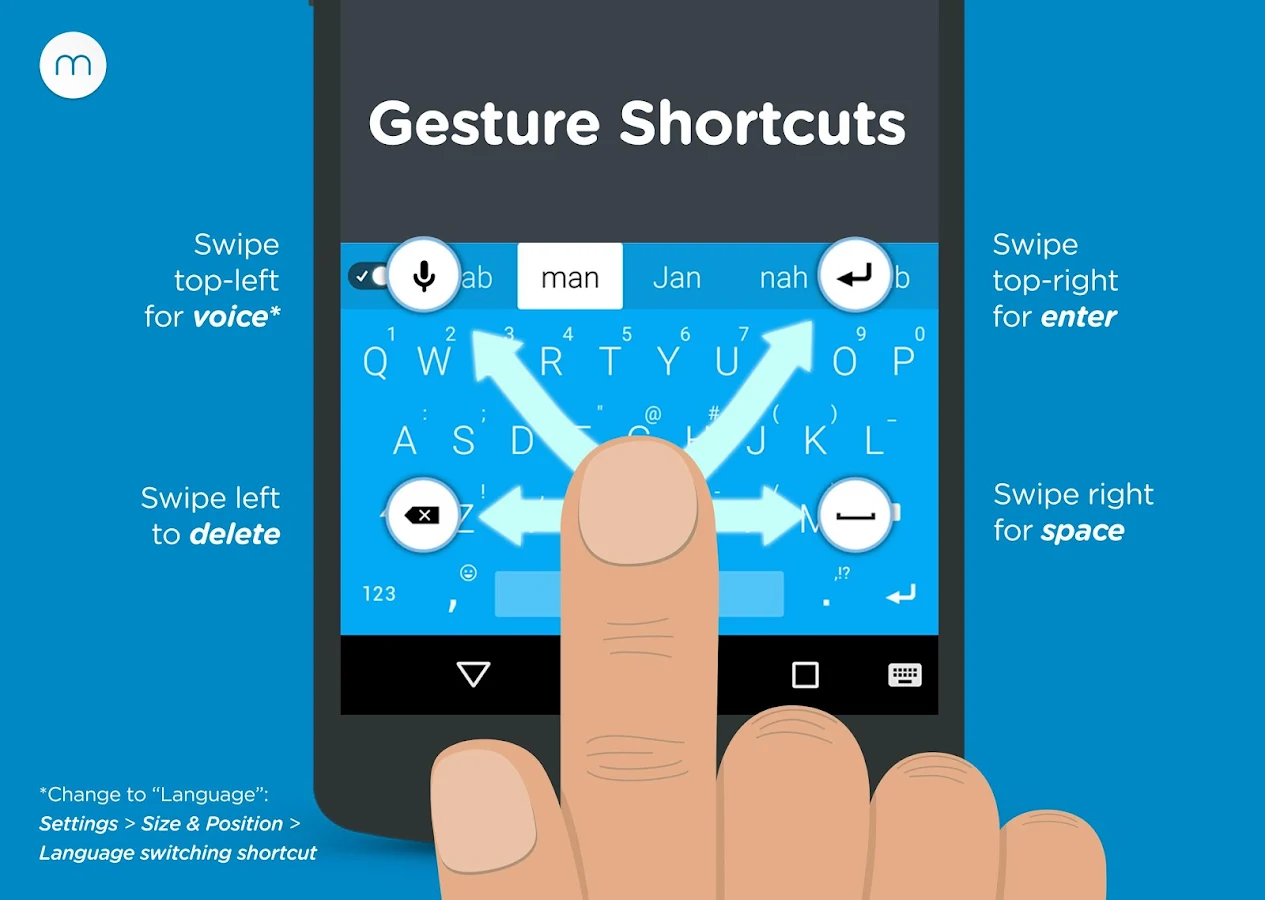
• RAPID GESTURE SHORTCUTS
Slide your fingers to the corners for quick, convenient access to all your features via pop-up keys.
• VOICE TYPING
Enter text hands-free via Google Voice Typing for voice-to-text typing when performing other activities.
• REAL MULTITASKING
If you’ve got split-screen capability, multitask more effectively as a result of extra screen space.
• BETTER TEXT EDITING
Edit more efficiently using these bonus panels: cursor control, tools.
• EASY CAPS
Quickly change capitalization of typed words using the shift key.

Android OS Requierements: 2.2+

Screenshots:

More info:

Greenify Donate *ROOT: Renew my Phone v1.9 beta 2


reznaf | 8:00 PM | , , , ,


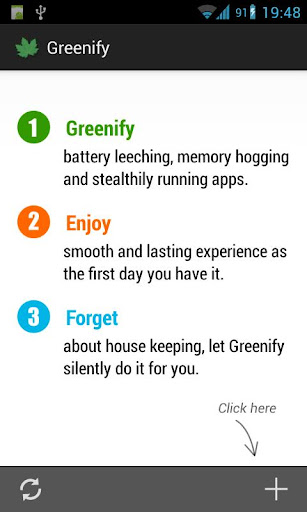
Description: Never should your phone or tablet become slower and battery hungrier after lots of apps installed. With Greenify, your device can run almost as smoothly and lastingly as it did the first day you had it!
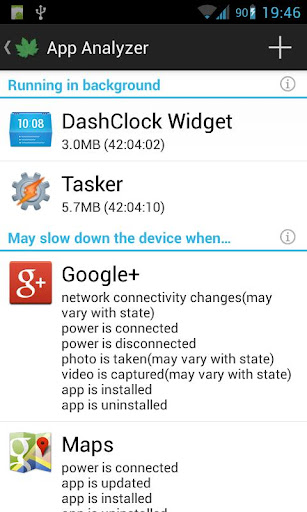
Greenify help you identify and put the bad behaving apps into hibernation when you are not using them, to stop them from lagging your device and leeching the battery, in an unique way! They can do nothing without explicit launch by you or other apps, while still preserving full functionality when running in foreground, similar to iOS apps!
ROOT is required.
NOTICE: PLS DO NOT REPORT BUG AS REVIEW, since I could not contact you for further details. Please report bugs on the XDA thread (http://goo.gl/urHEa), or in G+ community (http://goo.gl/MoszF).
IMPORTANT: Greenifying an app implies that you are aware that all the background functionality of this app will become out of service during the hibernation except when you are using this app:
Persistent background services
Broadcast receivers, which respond to global device events, such as network state change, SMS reception.
Alarms, which activate background task at specific time or interval.
Widget update. Widget should display but may or may not update because periodic update sometimes involves background task.
Push message. Push is also disabled since it would activate background task on Android, unlike iOS which just shows up messages to user.
Please DO NOT greenify alarm clock apps, instant messaging apps unless you never rely on them. Please be sure to verify the impact of greenified apps on which you heavily relies.
Compared to other popular tools aimed for the similar purpose, Greenify offers the following advantages:
◆ Unlike the "Freeze" feature in "TitaniumBackup Pro" that totally disable the app, you can still use your app as usual, share content with it. No need to freeze & defrozen it.
◆ Unlike "App Quarantine", you can launch greenified apps in any way as usual. No more crafted app-launch widgets, no more manual disabling.
◆ Unlike "Autostarts", you can benefit from almost all of its advantages, without needing to deal with the complexity and risk of obscure app components, and never lose functionality when app is actively running.
◆ Unlike any "XXX Task Killer", your device will never fall into the cat-mouse-game of stealthy-running and aggressive killing, which unnecessarily consumes much battery juice.
Note: Greenify do need a background persistent "Cleaner" service to put the greenified apps back into hibernation when you are not actively using them. It is designed and implemented in extremely lightweight, with an average RAM footprint at 3M in total, and nearly zero CPU and battery consumption.

In case you cannot install from Play store: http://oasisfeng.com/Greenify.apk
=== PERMISSIONS ===
INTERNET: Needed by "Raise Your Voice" program to send back only small amount of anonymous statistics data, without privacy information. You can opt-out at any time.
READ SENSITIVE LOG: To analysis the wake up cause of greenified apps.
GET ACCOUNTS & WRITE SYNC SETTINGS: Control the account sync of apps if its sync task is too frequent.
=== FAQ ===
* Why not support Android 2.x?
* It seems that automatic hibernation is not working.
* Some of my greenified apps (e.g. Google Maps) seems not hibernating.
* I want to greenify system apps!
* De-greenified apps still got no push notification!
……
Read here: http://goo.gl/1F5pY
=== Beta Channel ===
See G+ community board: http://goo.gl/MoszF
=== Translation ===
All translations are open for improvement: http://goo.gl/TQAzx
(Pls register first: http://goo.gl/ofhed)
=== Donation ===
If you love Greenify and want to donate, please consider the "donation version"http://goo.gl/fpz5l to try out fresh experimental features, such as:
* Greenify system apps
* Allow GCM push for hibernated apps
* Detect "who" woke the hibernated apps

Android OS Requierements: 2.2+

Screenshots:

More info:
https://play.google.com/store/apps/details?id=com.oasisfeng.greenify

Download Instructions - APK:
http://uploaded.net/file/c9lc1dfl

mirror:
http://rapidgator.net/file/c3b11dbf423d ... e.zip.html

Instructions:
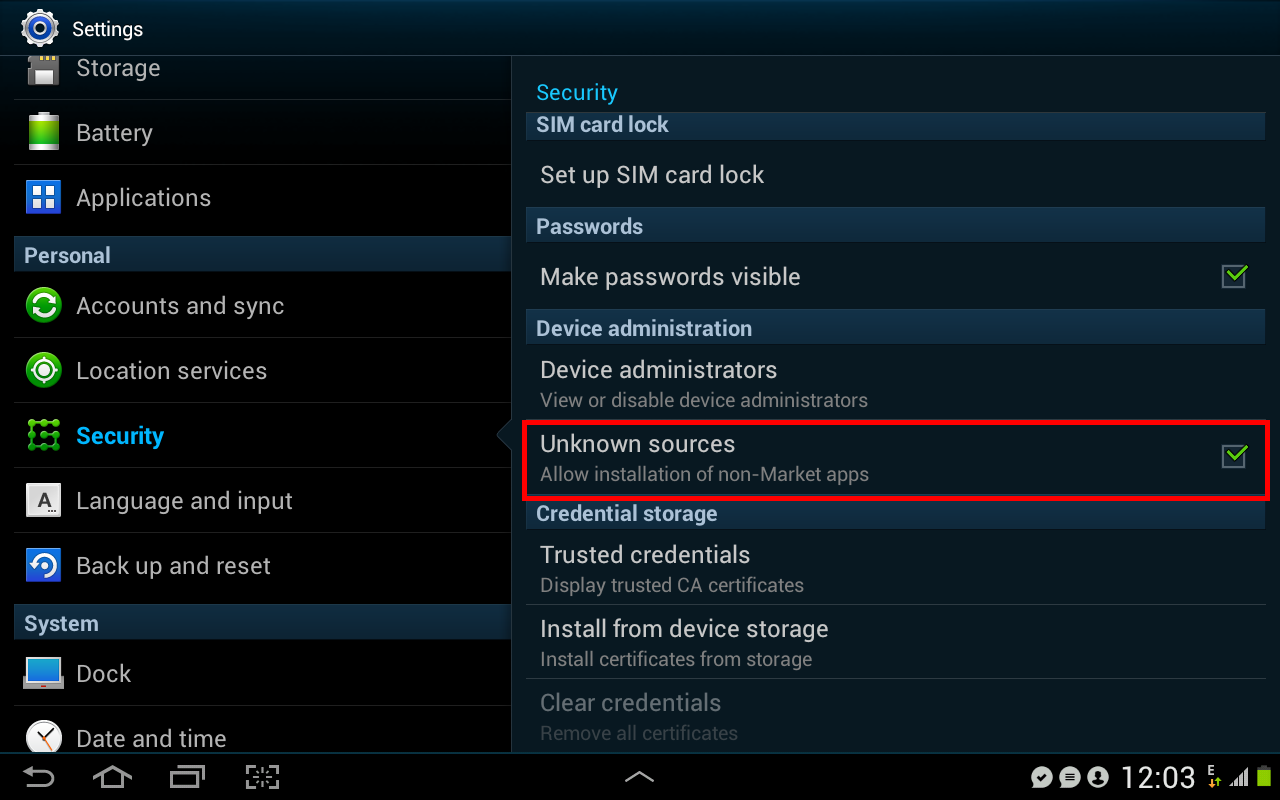
install Greenify,Greenify donation,Xposed Installer. Open Xposed Installer select Install/Update. Reboot. Open Xposed Installer again, select Modules. Check Greenify v1.85 (in this case if you dont have Greenify Donation, you still cant greenify system apps. Reboot. Open Greenify. If you can Greenify system apps, then this app is working. Note: Xposed Installer (Xposed Framework) works in almost all roms, except MIUI rom. So you cant use this app in MIUI.

Game Killer v2.60 Patched


reznaf | 8:00 PM | , , , ,


Description: A powerful Game cheat tool!

Main Features:
1. Search game value with precise number.
2. Search game value with vague instructions, e.g. larger or smaller.
3. Lock the game value to a fixed number.
4. Save/Load the managed list.
5. Touch GameKiller sprite to bring up the tool during gaming.
6. HEX edit
7. Dump code
8. More.

V2.60 update:
1. new data filtering (data type, data range, address range);
2. the largest list of items to 500;
3. Fixed some bugs.

Android OS Requierements: 2.2+ / ROOT

Screenshots:

More info:
http://maocai.taobao.com/


Freedom (Google Play in-App Purchase Hacking) v0.8.7


reznaf | 8:00 AM | , , , ,

Description: After activating the game with the freedom-app you can change it back to your language
Here is the compatibility game list:
https://docs.google.com/spreadsheet/lv? ... EVwYUZMSGc
If you use this App and you have an error, please change your language to russian or change the Timezone to Moscow (GMT +4)
Privacy

Freedom is local solution, so all data it need is stored directly on your device. We don't collect any your private data. And yes, we can't say the same about Google.

Legal
This software is not a Crack. No services or software were damaged. Freedom doesn't interfere in work of Google servers.
Remember: Freedom launcher was made only for legally installed applications. You can use this application to get content, already included in these apps. Please do not pirate Google Play apps.

Android OS Requierements: 2.2+ / ROOT

Screenshots:

More info:

Minuum Keyboard Beta v1.0


reznaf | 8:00 PM | , , , ,


Description: The Minuum keyboard lets you interact where traditional virtual keyboards don’t.

Minuum allows you to:
- Recover more than half of the usable touchscreen space you lose when you type on traditional virtual keyboards
- Enter text fast without being precise
- Benefit from letter magnification for precise typing—useful for the large-fingered

Minuum Beta 1.0:
- Initial release to backers
Android OS Requierements: 2.3+

Screenshots:

More info:

Snapdragon™ BatteryGuru v1.5.1


reznaf | 8:00 AM | , , , ,


Description: Snapdragon™ BatteryGuru is a battery life saver app that extends battery performance and improves overall user experience by intelligently making changes that optimize device functionality in phones with Snapdragon mobile processors. This app:
• Delivers longer battery life with fewer charges, acting as a battery life extender
• Intelligently learns how you use your Snapdragon-powered smartphone and optimizes your device without disabling smartphone functionality
• Requires no user configuration - Snapdragon BatteryGuru automatically learns and adjusts the smartphone settings so you don’t have to
After a brief 2-4 day introduction period, Snapdragon BatteryGuru learns the user’s behaviors and then notifies the user that it is ready to extend the battery life and improve the experience. Snapdragon BatteryGuru continues to operate in the background, deepening its understanding of the user and further optimizing the experience over time.
Snapdragon BatteryGuru battery saver app supports a majority of Snapdragon powered devices and we will continue to work to support additional Snapdragon powered devices. If you experience problems using this battery saver app, we'd really appreciate if you send us an email at batteryguru@qti.qualcomm.com explaining your problem prior to leaving a review – we’ll try to respond as soon as possible.
Trending Questions
Q. Why does Snapdragon BatteryGuru need to know my location?
A. Snapdragon BatteryGuru uses your location to know the places where you have access to Wi-Fi. It does not use GPS but instead uses Android’s low power network location mechanism to find your approximate location.

Android OS Requierements: 4.0+

Screenshots:

More info:
Related Posts Plugin for WordPress, Blogger...