Showing posts with label Schedule/Calendar. Show all posts

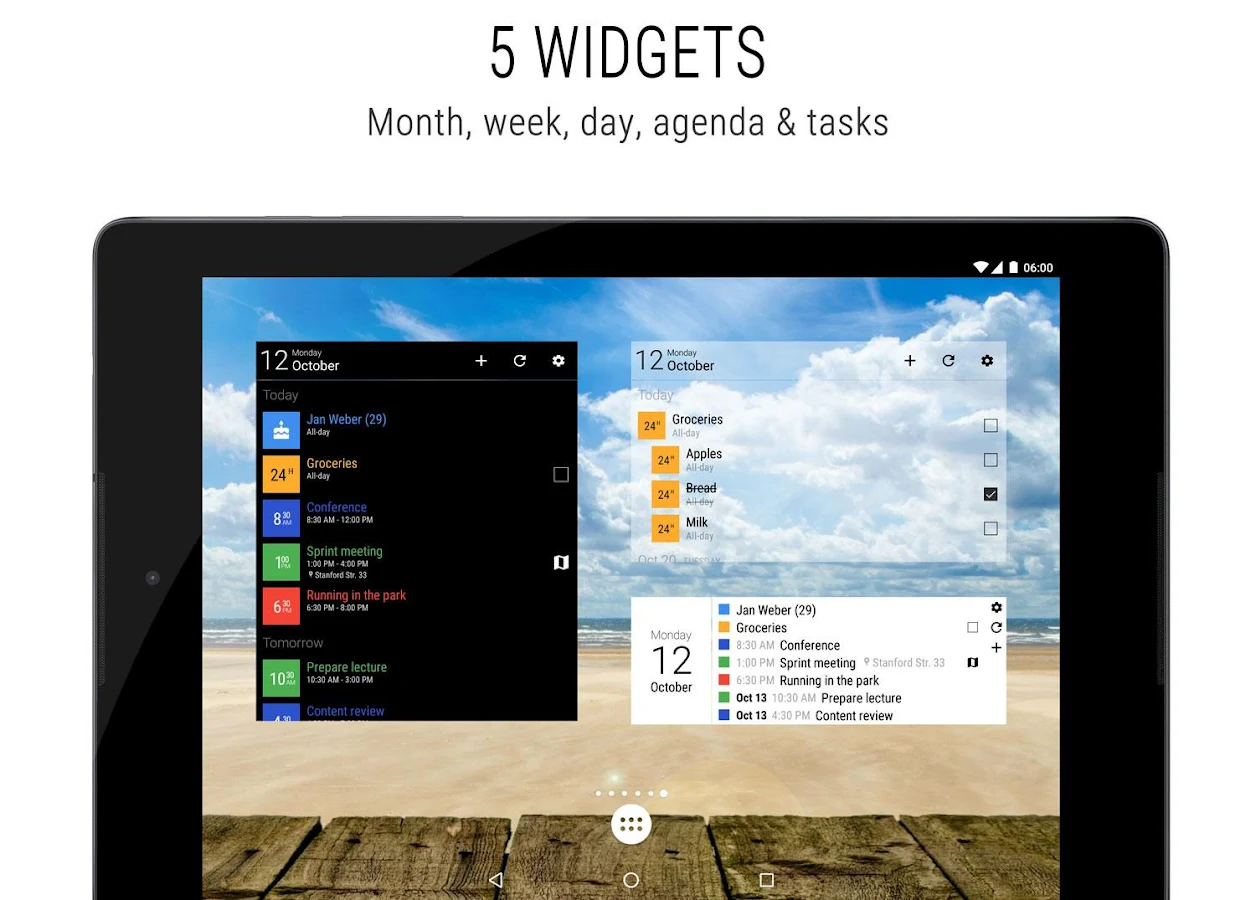
Business Calendar 2 Pro v2.11.1


reznaf | 8:00 AM | , , , , ,


Description: Business Calendar 2 is the successor of our award-winning calendar app.
Feature Overview:
▪ event planner and task management
▪ month, week and day view
▪ agenda with live search
▪ year view
▪ uses Android calendar sync which allows synchronization e.g. with Google Calendar and Exchange
▪ support for local calendars and tasks
▪ holidays calendar
▪ birthdays of your contacts
▪ advanced event reminders
▪ month, week, day, agenda and tasks widget
Details:
▪ intuitive navigation with simple swipes between month, week and day
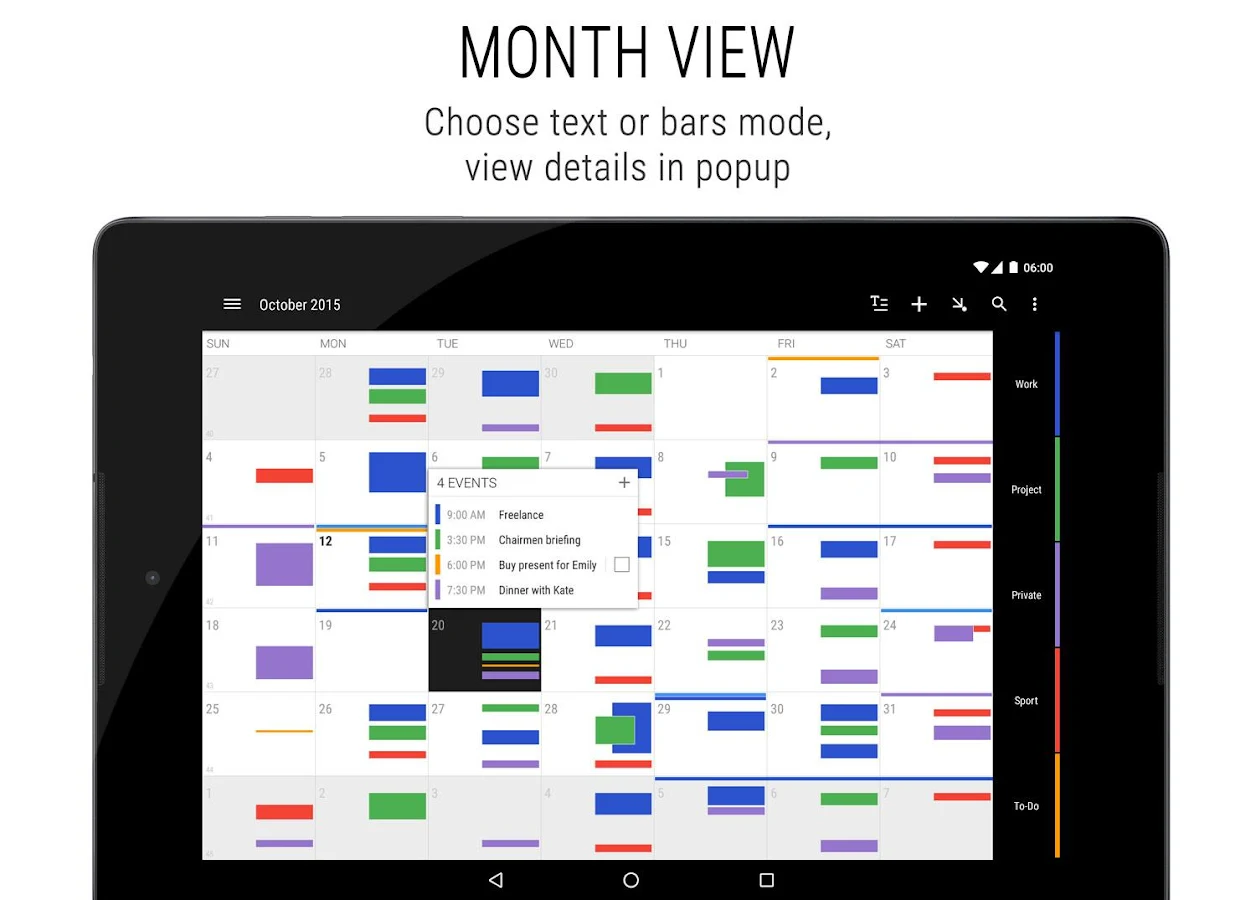
▪ choose between text and bars in month view
▪ quick glance on the event details in the popup directly from month view
▪ freely scroll- and zoomable multi-day view (1-14 days)
▪ quickly show and hide calendars with the favorite bar
▪ integrated task organizer which syncs with Google Tasks
▪ customizable notifications with direct actions (e.g. snooze reminder, show map, write email to attendees)
▪ create meeting invites and handle meeting invitations easily
▪ heat map in year view (e.g. to find free days)
▪ easily add holidays for 56 countries and many regions
▪ dedicated birthday view
▪ optional ongoing notification with event countdown
▪ share your events and tasks
▪ flexible recurrences
▪ no ads
Customization:
▪ customizable calendar and event colors
▪ lots of settings to optimize the appearance and functionality of your widgets, events, tasks and reminders
▪ adapt different views (day, week, month, year, agenda, tasks) to your personal needs
▪ use pre-set widget themes or customize your widgets down to the very last detail.
▪ live preview for all calendar widgets
Get Help:
▪ build-in help system
▪ quickly search our knowledge base if any questions arise
Business Calendar 2 is free and offers you a lot of features in its basic version. Additionally, you can get even more user-friendly features by upgrading directly from within the app. Users of the old Business Calendar Pro can access the pro features of Business Calendar 2 for free as long as the old app is installed.
Additional Pro Features:
▪ integrated weather report in day view
▪ easily move and copy events using drag&drop in multi-day view
▪ event history, title & location auto-completion
▪ link contacts to your appointments
▪ easily create templates for new events
▪ delete, move or copy multiple events at once using multi-selection
▪ advanced options for reminders (e.g. repeating alarms and individual ringtones for different calendars)
▪ extended task features (e.g repeated tasks, subtasks and priorities)
▪ automatically create a to-do for missed calls
▪ 20 beautiful themes for the app (e.g. dark theme)
▪ more widget themes / advanced customization options for calendar widgets
▪ individually configurable font sizes
▪ import and export calendar data (.ics, .ical)

Android OS Requierements: 4.0+

Screenshots:
More info:
Alarm Clock Xtreme v3.5.7p


reznaf | 8:00 AM | , , , ,


Description: This digital alarm clock plus timer app integrates with our new app Stopwatch Xtreme to solve all your timing needs. More coming soon!
Do you have problems turning off your alarm only to fall back to sleep? Wake up gently and avoid accidentally disabling your alarm with Alarm Clock Xtreme. This alarm clock and timer includes features that prevent excessive snoozing and get you out of bed.
Customize your wake up with this advanced alarm clock and use it for reminders and timers throughout the day. Set your morning alarm to slowly increase in volume and wake you up gently. Use the extra large snooze button or solve math problems to prevent you from accidentally turning off the alarm. You can even have the snooze duration decrease after every snooze and set a maximum number of snoozes.
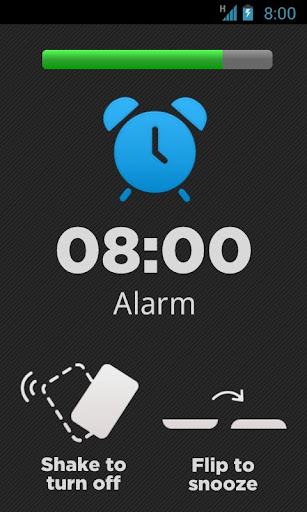
Alarm clock plus timer features include: music alarm, random song alarm, gentle alarm volume ramp up, math to snooze/dismiss, shake to snooze/dismiss, auto-snooze, auto-dismiss, time to next alarm, timer countdown, analog clock widget and much more.
The free version is full-featured but ad supported. Try before you buy. Upgrade to the paid version to remove ads and internet permission. Now integrates with Stopwatch Xtreme to solve all of your timing needs.
Visit our support page for answers to frequently asked questions, to view known issues, to submit feature requests, and more: http://support.anglelabs.com
We can't respond to comments in the Google Play store, so if you have an issue, please contact us through our support page or by emailing us at mobile-support@avg.com and we will do everything we can to resolve your issue.
Keywords: alarm, alarm clock, clock, timer, countdown, gentle alarm, gentle wake up, wake up

Android OS Requierements: 2.2+

Screenshots:

More info:
MyCalendar PRO v2.72


reznaf | 8:00 PM | , , , ,


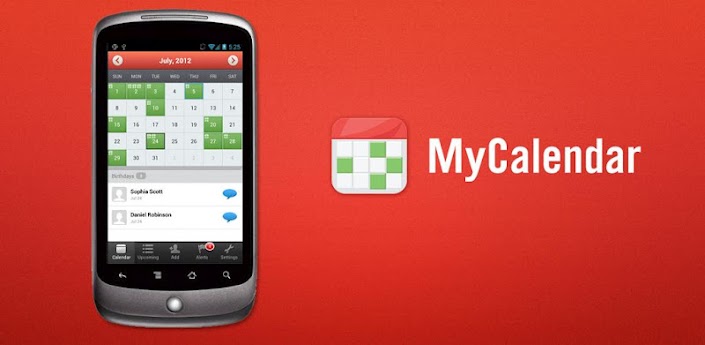
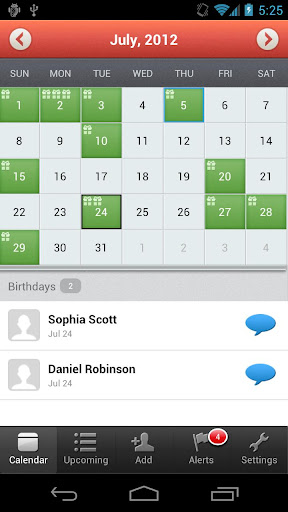
Description: The most popular calendar application on Facebook with over 100 million users is now here on Android! Now with MyCalendar, you will never forget your friends' birthdays again!
Key Features:
☆ Import birthdays from Facebook
☆ Add birthdays of all contacts from your phone and add custom birthdays
☆ Customizable reminder settings: delivers notifications straight to your iPhone)
☆ Easily message your friends and wish them "Happy Birthday " along with custom message with just one click!
We are working hard on our next version! More features coming soon! Thanks for your patience!
SUPPORT: Please click "Settings" > "Report a Problem" from inside our application to reach us.
---------------------------------------
Use of this application is governed by the K-Factor Media, LLC Terms of Service. Collection and use of personal data are subject to K-Factor Media, LLC's Privacy Policy. Both policies are available at http://www.mycalendarbook.com/privacy.php andhttp://www.mycalendarbook.com/terms.php. Social Networking Service terms may also apply.

Android OS Requierements: 2.1+

Screenshots:

More info:

CalenGoo v1.0.101


reznaf | 8:00 AM | , , , ,


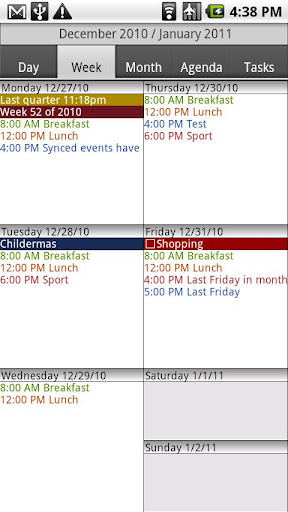
Description: CalenGoo is a calendar app that can sync with Android calendar and Google Calendar. It is designed to make it easier and faster to work with your calendar on your phone. Five different calendar views (day, week, month, agenda, landscape day) give you a good overview over your upcoming events. To make rescheduling events easy, they can be moved or copied via drag&drop in the day, week, month and landscape day view.
If you have any problems please contact android@calengoo.com! (Please ensure that you are using the correct email, someone in the reviews said he didn't get an answer, but I re-checked my emails and I did not get any email from him.) To find the settings you have to press the menu button of your phone. If you cannot find that button, please see here:http://android.calengoo.com/menubutton
Additional features:
- Drag&Drop support to move, copy, open and delete events
- Widgets to see your events on your home screen without opening the app: day widget (4x1, 4x2, 4x3), week widget (4x3, 4x4, 5x5), month widget (4x3, 4x4, 5x5) and agenda widget (different sizes from 2x1 up to 5x5). In the month 4x4 widget you can tap a single day to directly open it. The agenda widgets can be (optionally) scrollable (but under Android 2.x this requires a special home screen manager).
- Zoomable month view
- Configurable startup view (day, view, month, agenda)
- When adding recurring events you can use the same rules that you can use in Google Calendar, e.g. you can create events "on Monday and Thursday every two weeks" or "every last Friday in a month".
- Direct sync with Google Calendar option e.g. to download all historical data and to be able to assign icons to events
- Predefined and custom icons can be assigned when syncing directly (http://android.calengoo.com/icons )
- Improved date picker that displays a whole month to choose a date
- Improved time picker with three different ways to enter a time
- Search function (with optional advanced options like "Whole words" and "Case sensitive")
- Customizable hardware buttons (e.g. you can assign the "Today" function to the "back" button)
- Sync with Google Tasks
- Many configuration options to change the way the app looks and works.
- Repeatable, snooze-able reminders using a custom sound (e.g. an MP3 file from your phone) or one of the built-in sounds. You can choose a different sound for each calendar.
- The birthdays and anniversaries of your contacts can be displayed (http://android.calengoo.com/birthdays )
- Events can be sent as SMS or email. When sending them as email an ICS file is attached that the recipient can use to import the event into his own calendar.
- Functions to export/import entire calendars as ICS files.
- Completable events and floating events ( http://android.calengoo.com/completable )
- Templates to quickly create often used events. Templates can also be combined.
- Print function (to print the day, month, agenda or landscape day view into a PDF file)
- Support for Google's event colors (you have to sync via OAuth2 to use this, just add your Google account under "Settings", "Accounts", "Add account", "OAuth2 Login" in CalenGoo).

Android OS Requierements: 1.6+

Screenshots:

More info:

White Noise FULL v5.0


reznaf | 6:00 AM | , , , , ,


Description: Recommended by Dr. Oz as a miracle for better sleep! Features ambient sounds of the environment like ocean waves, rain storms, flowing streams, and more. Includes 40+ perfectly looped ambient sounds, audio background service so you can use other apps, and an advanced alarm and timer system that wakes you up refreshed. Featured in Health Magazine, The Washington Post, New York Times, PC Magazine, and raved about by thousands of satisfied customers. Find out why the world is sleeping better with White Noise.
Includes the following great features:
- 40+ perfectly looped sounds for relaxing or sleeping
- Mix multiple sounds together to create new ambiences
- Import unlimited free sounds from the White Noise Market ( http://whitenoisemarket.com/ )
- Background audio so you can use other apps
- Works on all Android-based phones and tablets
- Create multiple alarms that slowly fade in waking you up feeling refreshed
- Sleep digital LED clock perfect for any nightstand. Drag up/down to adjust brightness. Swipe left/right to adjust color.
- Sound timers stop audio to save battery life
- Star your favorite sounds in the catalog for quick access
- On-screen media controls to stop and start audio with volume controls
- Gesture support (swiping left or right also navigates sound)
- Tons of custom settings: Device volume, sound volume, balance, pitch, buffer size, auto play, background audio, headset unplugged, auto sleep clock, prevent clock burn-in, allow screen lock, auto share on sleep, prevent device interruptions, alarm snooze time, changelog, help tips, rate app, restore defaults, and send feedback
- No Ads
"Revolutionary Sound App!" --Dr. Oz
AMAZING ANDROID APPS - Book by Daniel A. Begun
"White Noise can instantly transform a chaotic environment into a calm oasis."
THE WASHINGTON POST: Smartphone Puts Newborn to Sleep
"For the next four months, the infant slept with his father's phone in his crib and White Noise tuned to 'air conditioner.' The monotonous buzz kept the baby sleeping soundly and his parents happy."
HEALTH MAGAZINE
"Help you turn off your brain, fall asleep faster, and get the rest you desperately need."
Includes the following unique sounds:
Air Conditioner, Airplane, Amazon, Beach Waves, Boat, Cars, Cat Purring, Chimes, City Streets, Clock, Clothes Dryer, Crickets, Crowd, Drip, Fan, Fire, Frogs, Hair Dryer, Heartbeat, Blue Noise, Brown Noise, Pink Noise, Violet Noise, White Noise, Ocean Waves, Car Rain, Light Rain, Heavy Rain, Extreme Rain, Rain Storm, Shower, Sprinkler, Stream, Tibetan Bowl, Thunder, Train, Vacuum, Washer, Water, Wind
CUSTOMER REVIEWS:
"This app has helped me fall asleep on several occasions and relax on a regular basis. Have insomnia, light sleeper or can’t quiet your mind before or during sleep? Then you need to try this app, you won’t be disappointed"
"I use it with Bose Headphone while traveling on long flights around the country. It helps me forget I’m in coach, catch a few hours sleep and arrive feeling better than one could expect"
"The sounds on this app rival those of expensive white noise generators you would find at Brookstone or Sharper Image"
Positive reviews and feedback keep the free updates coming! Would someone like White Noise? Tap the Web Info button and then Share to let them know.
Fan us on Facebook at http://www.facebook.com/tmsoft
Follow us on Twitter at http://twitter.com/tmsoft
Contact us at our Forums at http://www.tmsoft.com/forum/
Download more sounds at http://whitenoisemarket.com/
PERMISSIONS EXPLAINED:
WAKE_LOCK: Wakes the device when the alarm is activated.
DISABLE_KEYGUARD: Unlocks the device when the alarm is activated and re-lock the device when the alarm is deactivated
INTERNET: The "Web Info" browser view for news
READ_PHONE_STATE: Silences White Noise when phone activity is detected
WRITE_EXTERNAL_STORAGE: Imported audio data and images are stored here
READ_NETWORK_STATE: Determines if retrieving news is possible

Android OS Requierements: 1.6+

Screenshots:

Download Instructions - APK:

Contacts Widget v3.2.1


reznaf | 3:30 PM | , , , , ,


Description: In some devices *** MAY BE NECESSARY TO RESTART ***
Now you can put Contacts Widget on Lockscreen (Android 4.2). Dial easily to your favorite contacts without having to unlock your device.
Let your contacts at the touch of your fingertips. Contact widget provides a beautiful way to get your favorite contacts or any group (possible combination of groups) on your screen.
Contacts widget has several configuration options enabling the choice of several actions when contact was selected, and several ways to display them on screen.
On a technical limitation, and there are differences between version available for Android and 4 + 2.1 - 2.3.
Check out what each version is available.
Android 3.0 - 4. +
- Display of contacts as ICS (Android 4.0)
- Contacts with scrolling display in grid;
- Contacts in flip displayed;
- Style folder to organize your favorite contacts without taking up screen space;
- 1x1 widget for a specific contact;
- Option to display only the contacts with photo;
- Resizing the size of the widget;
- Configuration for the default action (quick view of actions / open contacts / call directly / send SMS);

Android 2.1 - 2.3 +
- Display of contacts as ICS (Android 4.0)
- Favourite contacts displayed in the grid without scrolling;
- Size of Widgets 2 * 4/4 * 2/4 * 3/4 ​​* 4;
- Style folder to organize your favorite contacts without taking up screen space;
- 1x1 widget for a specific contact;
- Option to display only the contacts with photo;
- Buttons to change the pages of contacts;
- Configuration for the default action (quick view of actions / open contacts / call directly / send SMS).

Android OS Requierements: 2.2+

Screenshots:

Download Instructions - APK:

MyLifeOrganized v1.6.7


reznaf | 2:00 PM | , , ,


Description: Add hierarchy to your to-do list. Try it with GTD®. Sync wirelessly to the Cloud
MyLifeOrganized is an easy-to-use, yet powerful and intuitive to-do list, task manager and outliner. Designed to strike a balance between the simple and the complex, MyLifeOrganized succeeds where competitors have failed! Using an unlimited task hierarchy and the ability to focus on subsections, MyLifeOrganized allows you to build a task management system to suit your needs.

Break down large tasks to achieve a collection of reasonably sized actions that are easy and unambiguous. Organize your tasks into projects and assign contexts. If required, set a due date, priority, and dependency. Once loaded with your information, MyLifeOrganized goes to work and prepares a simple task list containing only those next actions which require your immediate attention. This list is updated automatically once you complete a task, change context or move to another location.

Sync wirelessly with the world-class Windows Desktop version of MyLifeOrganized* to add even more power to your task management. You can sync using Wi-Fi or the Cloud service. Using the MLO Cloud service**, you can sync with multiple computers at home and the office and share a single task list or collaborate with other people.
Most MLO features are FREE forever and the free version is fully usable, but many users find that the advanced features in the Pro version provide a valuable productivity boost. Please be sure to try out the advanced features during your Pro trial period and consider upgrading to Pro (using in-app purchase) before the trial period expires.
Please use our forum for feedback, since we cannot respond on reviews.

FEATURES***
✓Hierarchical to-do list: Organize your tasks into projects and break down large tasks into reasonably sized actions.
✓Next Actions: Automatically display only your next actions in views such as Active by Context or Active by Project.
✓Specially designed for GTD® (Getting Things Done®)
✓MLO Smart To-Do Sorting based on Computed-Score Priority
✓Filtering of actions by context
✓Inbox for rapid task entry
✓Recurring and regenerating tasks
✓Starred tasks: Highlight your important tasks
✓Zoom: Concentrate on a specific branch of tasks
✓Use hierarchy and special option to complete the tasks and subtasks in a specific order
✓Nearby view: Get a list of actions for your current GPS location
✓Location based alerts about Active Actions near you
✓View your NearBy tasks on a map
✓Bookmarks
✓Search
✓Undo for last operations
✓Widgets with voice input
✓Widget will always show your actual todo list depending on the current time or location
✓Custom sorting for todo lists
✓Contexts may include other contexts
✓Use task dependencies (set on desktop) to complete the tasks in a specific order.
✓Use Open/Closed hours for context (set on desktop) to see active task for the current time
✓Add MLO task to calendar and other applications
✓Send tasks from other applications to MLO
✓Collaborate with other people using the MLO Cloud service**
✓Sync with MyLifeOrganized for Windows* using the MLO Cloud sync service ** or via Wi-Fi sync.
✓Templates for various task management systems from GTD® to FranklinCovey and Do-It-Tomorrow are included in MyLifeOrganized for Windows to help you start quickly with your own task management system.

Android OS Requierements: 1.6+

Screenshots:

Download APK:
or

NFC Alarm Clock PRO v1.2.3


reznaf | 1:30 PM | , , ,


Description: NFC Alarm Clock will check if you're awake enough before you're allowed to turn alarms off.

NFC Alarm Clock FREE features:
• Disabling alarm with NFC tag and QR code,
• Random puzzles with every alarm (math equation, memory cards, captcha, patterns), up to 5 puzzles to solve in a row,
• Checking if you really woke up,
• Setting an app that will be launched after an alarm,
• Facebook-aided motivation (the ultimate solution for oversleeping),
• "Time to bed" notifications before the next scheduled alarm,
• Sleep chart and ranks,
• Recurring and multiple alarms,
• Custom labels for alarms.

NFC Alarm Clock PRO features:
• No ads,
• Widget with the next set alarm and "Sleep" button for recording stats,
• 3 Puzzle difficulty levels,
• 3 soothing melodies in Calm mode for soft alarms,
• Increasing alarm volume,
• Loud explosion sound (amazing effect with external speakers).

What's in this version:
• Screen unlocking improvement,
• Fixed display of snoozed alarms in alarms list,
• Notification after alarm improvement,
• Alarm duplication improvement,
• Chinese added

Android OS Requierements: 2.2+

Screenshots:

Download APK:
or
Link 2 

• Click Unlock icon
• Choose "Enter the key"
• Choose "Verify" (no key needed)
• Enjoy full version

Work Calendar v3.0.13


reznaf | 9:00 AM | , , ,


Description: You are shiftworker or have changing working-time or schedule?

It bugs you to setup every single calendar entry according to your work schedule?
Have a look at Work Calendar!

Work Calendar will help you to enter your shifts and work schedule in a clear, easy and convenient way.
All entries are made in an existing Google- or Exchange calendar (prerequisite)!
Setup categories that will serve as templates to be easily used when entering shifts later on. You can even combine several categories to a more complex work schedule. Different kinds of counters will help you keeping an overview of shifts, work hours or even resulting salary.
Of course, you may also use Work Calendar for other types of recurring events (hobby, sports, club-days, school, university...)

Functions:
- Categories: Name, abbreviation, description, start- and end-times, reminder/alarm, location
- Week/month view to create/modify entries in your calendar
- Agenda
- Overview: month/year summaries of work times
- Hour counters with overtime and salary
- 3 widgets with configurable design

Languages supported by Work Calendar: German, English, Turkish, Italian and Portuguese.
Note: If you want to use the widgets, you must not install the app on your SD-card. This is an Android-
restriction, not a restriction of Work Calendar.

Android OS Requierements: 2.1+

Screenshots:

Download APK:
or

Todoist: To Do List, Task List v0.5.4


reznaf | 7:00 PM | , , ,


This sleek Android todo app keeps you organized, focused, and more productive. The perfect todo productivity app is there wherever you need it: on your mobile device, desktop, browser, Gmail, and more.

Join 400,000 loyal users who are getting more done with Todoist – the leading todo list and personal task manager!

Featured by TechCrunch, New York Times, Lifehacker, ReadWriteWeb, and many others, Todoist works beautifully across all your devices (desktop, web browser, e-mail client, and mobile) so you can boost productivity and do more each day.

❝Todoist for Android is an app that we’re awfully excited for. It’s a lean and clean tasks app with a whole lot of features, and there aren’t many in the Google Play Store that can beat it.❞ — Phandroid.com

With the free Todoist app, you can:
★ Get unlimited manual synchronization across all your devices
• Add and manage unlimited tasks
• Organize tasks into projects
• Access your task manager with or without an Internet connection
• Save your task list to the cloud
• Synchronize tasks once per day across all your devices

Required Android OS: 2.2+

Screenshot:

Download: APK
or

Related Posts Plugin for WordPress, Blogger...