aCar Pro - Car Management, Mileage v4.7.4


reznaf | 8:00 AM | , , , , ,


Description: ***** aCar has been downloaded over ONE MILLION times *****
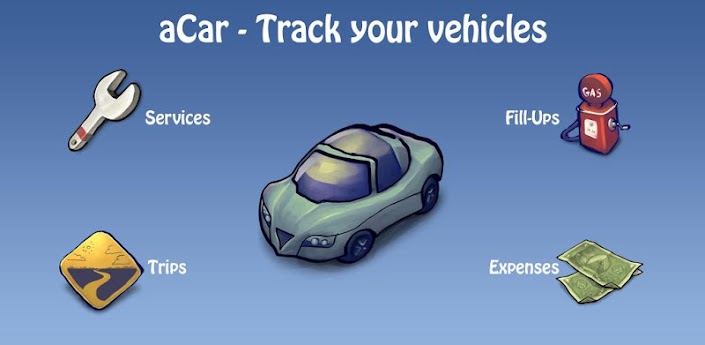
Log activities, manage and keep track of your vehicles: Fillups, Fuel Mileage (a.k.a. Gas Mileage or Fuel Economy), Maintenance, Services, Expenses and Trips
You can keep records of your cars, trucks or even your bikes; and have all of them under control.
STANDARD FEATURES:
* Very clean, modern and user-friendly interface.
* Very easy and painless data entry.
* Support for recording fill-ups, services, expenses and trips (business, personal, etc).
* Support for logging the specification of your vehicle parts.
* Gas mileage (a.k.a. fuel economy or fuel mileage) calculation with multiple units support: MPG, gal/100mi, mi/L, km/gal, L/100km, km/L
* Multiple vehicles support.
* Powerful searching and filtering.
* Thorough statistics for your vehicle.
* Time and mileage based service reminders: Engine Oil, Air Filter, etc
* Geographical location (GPS) support.
* Social support, and sharing activities on Facebook and Twitter.
* Automatic monthly data backups.
* Move to SD-Card support (Android 2.2 and later).
PRO FEATURES:
* Sharing statistical charts on Facebook and Twitter.
* Localized and translated into: German, Spanish, French, Italian, Portuguese, Russian, Danish, Polish, Hungarian, Czech, Greek, Slovak. More to come...
* Quick access to the most important information by home screen widgets: Console, Service Reminders, Predictions, Fuel Efficiency and Fuel Price.
* Home screen shortcuts: New FillUp, New Service, New Expense and New Trip.
* Full-screen charts for visualizing fill-ups, services, expenses and trips.
* Data import from various mobile apps: Auto 3in1, AutoMobile, Car Care, FuelLog, Gas Cubby, Mileage, MPG, My Cars, Road Trip, TealAuto, Trip Cubby, Trip and Trip Deluxe, Vehicle Manager
* Data import from various websites: Fuelly.com, FuelFrog.com, SpritMonitor.de, TrackYourGasMileage.com
* Manual and more frequent automatic data backups.
* Export records to Excel compatible CSV and browser viewable HTML formats.
* Export statistics to Excel compatible CSV and browser viewable HTML formats.

Android OS Requierements: 2.1+

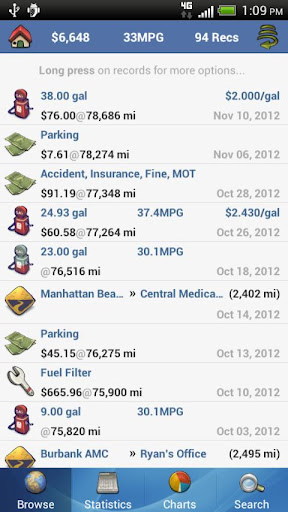
Screenshots:
More info:

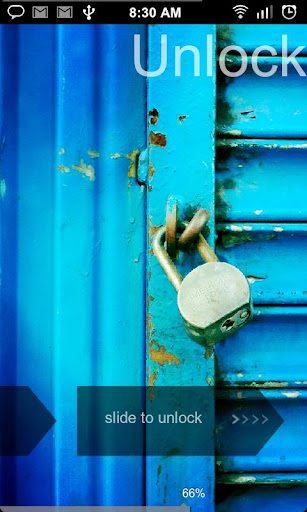
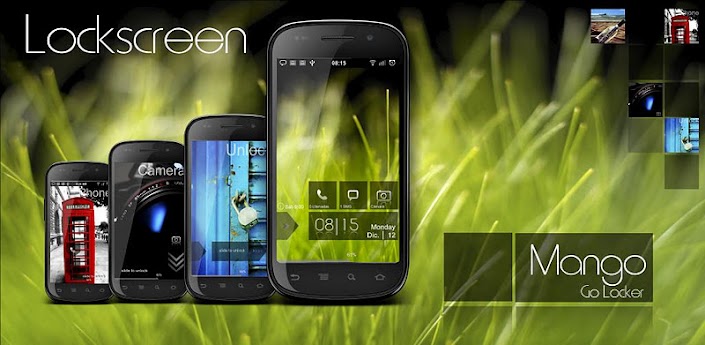
Windows Blue 8 HD Lockscreen v4


reznaf | 8:00 AM | , , , ,


Description: Lockscreen HD amazing effect!
MetroUI HD Lockscreen!
new version now supports 4.2.2 jelly bean
Go Launcher EX Locker HD
Windows 8 Metro UI GO LAUNCHER EX LOCKER THEME.
Metro8 HD Theme design for GO Launcher EX, is available now!
Now menu to select shortcut
You can customize and use own wallpaper:
go on Go Locker\Wallpaper and choose yours
Notice: Make sure GO locker has been installed.
Metro Lockscreen.
★How to install:
1. Make sure GO Locker have been installed
2. GO Locker > My locker to choose the theme
3. OR in go launcher - Click MENU > Preferences > Theme Settings > GO Locker -> My locker to choose MANGO theme.
★How to use:
1. Make sure GO Launcher EX or above and GO Locker v1.40 have been installed
2. Click “MENU—->
3 Preferences—->
4 Theme Settings—->
5 GO Locker-> My locker””
6 Choose the theme "MANGO HD"

======================
Features to be added:
- custom image selection from gallery
- missed call/message alert
- Support alarm clock information.
- Support browser unlock.
- option to switch between 24/12 hour format
Stay tuned for more updates and many other custom lockscreens to enhance your phone experience lg nexus 4

Android OS Requierements: 1.6+

Screenshots:

More info:

Guide #7: How to share Google Calendars with family or co-workers?


reznaf | 12:00 PM | , , , ,

Google_Calendar
We all know life can be hectic at times. Keeping track of your family’s dentist appointments, movie nights, organizing dinners, parties, etc. can be tiresome, especially if you don’t have an efficient and easy way of keeping track of it all. If you aren’t already aware of this simple solution, allow me to introduce you to Google Calendar.
Google’s calendar web/mobile application is a free time-management tool, and may even be the best available on the market. Users are obviously required to have a Google account to get started, but something tells me that shouldn’t be an issue for any of you. The UI on Google Calendar for everyday use should be relatively self-explanatory, however there are some features on Google Calendar that are a bit unclear to most users, including how to share calendars with others (including family members) and create entirely new calendars for separate use. Please note that the following instructions refer to the desktop browser version of Google Calendar.
Share_Calendar_Final
To get started with sharing a calendar with another user, find the “My calendars” feature on the bottom left side of your screen while in Google Calendar (seen above). Click on the down-arrow next to the calendar you wish to share and a menu should appear that looks like the one above. This menu gives you the option to “Share this Calendar.” Click on that option and you will be brought to a “sharing dashboard” where you can see all of your sharing settings for Google Calendar. Here, you can enter specific people’s email addresses to share your calendar with remove people from sharing lists, and even assign permissions allowing users to edit your own calendar if you wish. Another feature lets you make your calendar public for all to see. (We don’t recommend using this feature unless your calendar is meant to be seen by anyone on the internet that wants to.)
Share_CalendarIf you wish to request permission to view a friend’s calendar instead of waiting for them to share it with you, you can do this as well. Simply click on the down-arrow next to “Other calendars” on the bottom left-hand side of your screen, and click “Add a friend’s calendar.” From here, a screen like the one seen above should come up, allowing you to manually enter any user’s Gmail account so that you can request access into their Google Calendar. Pretty neat, right?
All of these different settings and options will show up right on your Android’s Google Calendar application as well. When you press on “month” view, you’ll be able to see an entire overview of everyone’s scheduled events for the entire month. Swiping up and down allows you to view into the future or into the past. However, you cannot change sharing settings on the application. The only option you have is to add other Google accounts that you own, which will in turn add those calendars to your overview.
Let’s say that for example, your job requires you to have a separate calendar, and you want to keep it separate from your personal calendar, but you want to manage it from the same Google account. Fortunately, you can do that with Google Calendar! Click on the down-arrow on “My calendars” once again and select “Create new calendar.” This should bring you to a new screen where you can set up your entirely new calendar, with options to name the calendar, add a description, set a location, time zone, and set up sharing settings. There’s definitely enough functionality included in Google Calendar so that it’s pretty much useful to everyone— especially since it’s absolutely free!
If you find that you are getting mixed up between who’s calendars are who’s, because multiple people are sharing calendars with you, you can simply change the colors of other users’ calendar posts. This way, you’ll be able to tell the difference right away. To do this, find a user’s calendar under “Other calendars,” hover your mouse over the calendar name, and a drop-down arrow should appear to the right of the name. Click on it, and from there you will be able to select any color from the default palette, or even set up a custom color.
There are obviously many other alternatives out there to Google Calendar, but from my experience, Google Calendar has offered me the best options, especially because it’s synced right up to my Google account. It’s just so convenient to get alerts straight to my phone and have everything connected and working seamlessly. If Google Calendar isn’t for you though, here are a few other options:
Alternatives to Google Calendar: 1Calendar, Zoho Calendar, Cozi, CalendarFly, Scheduly, and Tungle.
Happy scheduling, folks!
source: talkandroid.com

Arcus: Hyper Local Weather PRO v1.6.2


reznaf | 8:00 AM | , , , ,


Description: Arcus hyper-local weather forecasts gives you the most precise up to the minute weather forecast available. Powered by forecast.io/dark sky,
Arcus will tell you when rain is going to fall within the hour, down to the minute, how long it'll rain for and how strong the rain will be.
"Heavy rain starting in 4 minutes, for the next 35 minutes".
Arcus uses the new Forecast.io (Dark Sky App on iOS) API to get the most accurate, and most current weather information.
From the Dark Sky company website on their Data Sources : "Forecast.io is backed by a wide range of data sources, which are aggregated together statistically to provide the most accurate forecast possible for a given location."
**Visit http://www.arcusweather.com to follow and support development**

***** Included in AppStorms 10 Beautiful Weather Apps *****
"Arcus Weather’s style is simple, sleek and monochromatic. Temperature and rain are the main areas of focus in Arcus Weather, and the combination of simple icons and clear, text-based information makes for both a highly practical, and visually appealing design."
***********************************************************************
Features include:
- Holo Theme (Dark and Light)
- Homescreen and lockscreen widget
- Dashclock Extension
- Notification Bar Weather
- Multiple graphs and views
- Unit Conversion Setting (SI or US)
- Multiple Locations
- Customizable view orders
- Severe weather alerts
**Arcus Weather Pro Key - https://play.google.com/store/apps/details?id=com.arcusweather.darksky.pro**
Pro Features:
- No Ads
- Up to 5 Custom Locations (free version - 2)
- Widget Interval Options (free version - 1 hour)

Android OS Requierements: 4.0+

Screenshots:

More info:

Qloud Media v3.7


reznaf | 8:00 PM | , , , ,


Description: You can easily share video, music and pictures from your PC to Android devices. No copy or encode is needed, just install proper server software on your PC and you can enjoy video, music and pictures anytime and anywhere!
This app requires server software to function properly; you can get the server application from:
Features:
- Support multimedia streaming from your PC to Android devices
- Optimized for phone and tablet
- Streaming over Wi-Fi and 3G network
- Everything is transcoded on the fly, no copy or encode is needed
- Supported video formats: AVI, MP4, RM/RMVB, MKV, WMV, MPEG, MPEG2TS
- Supported subtitle formats: SRT, ASS/SSA, SAMI (typeface, scale and encoding is user configurable)
- Supported audio formats: MP3, MP4, WAV, AAC
- Supported image formats: JPEG, PNG, GIF, BMP
- Automatic server discovery in local area network
- Remote access setup by specifying Qiss PIN code
- Remote access setup by specifying server address and port information
- Folder access control by user account
- Support NAT transversal via UPNP or NAT-PMP
The difference between the full version and the free version are:
- No AD
- Support file name search
- Support image export
- Support advanced video gesture control
- Support Google TV
- Support multiple themes
Note:
- DRM protected files are not supported
- Other formats may work but not officially supported
- Qloud Server is available for Microsoft Windows XP/Vista/7 and Mac OS X (10.6 or later)
- For better video performance, dual core processor is recommended
- Please make sure the free version can function properly before upgrading to full version
- If you have difficulty with 3G streaming, please google "how to port forward" for tutorial, the default port is TCP 8888

Android OS Requierements: 2.1+

Screenshots:
More info:
360 Mobile Security- Antivirus v1.1.0


reznaf | 8:00 AM | , , , ,


Description: Protect your mobile device with 360 Mobile Security, a top of the line mobile security app designed to protect your Android phone against the latest viruses, malwares, system vulnerabilities and privacy leaks. 
360 Mobile Security is lightweight, agile and Ad-free. Download our FREE app and find out what 275 million users have already discovered. Why pay for the so called premium security features? With just one click you’ll get the most advanced security features that the other guys make you pay for. 
------------------------------------------
>>Key Features and Benefits<<
★Scan & remove viruses
Utilize dual-layer protection to keep your system away from the latest threats with the 360 QVS + cloud engines 
★Real time protection
Scan installed apps and local apk files in real time while monitoring each installation process. 
★Privacy advisor
Serve as your guide to keep you up to speed on what apps are accessing your data.
★System vulnerabilities fixing
Detect and fix vulnerabilities rooted in your mobile with verified hotfix.
★System clean-up
Scan and close idle background apps as well as clear private usage history with one tap.
★Floating window
Toggle device settings and optimize your device with just one click, all within our new ‘floating window’ feature.
------------------------------------------
360 Mobile Security is certified by accredited third-party test agencies including West Coast Labs, AV-Comparatives, AV-TEST, PC Security Labs, and SKD Labs.
360 Mobile Security is available in following languages: English, Portuguese (Brazil), Portuguese (Portugal), Spanish (Spain), Spanish (Latin America), Russian, Chinese (Simplified), Chinese (Traditional).

Android OS Requierements: 2.2+

Screenshots:

More info:

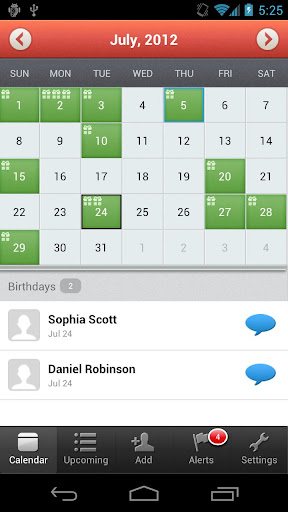
MyCalendar PRO v2.72


reznaf | 8:00 PM | , , , ,


Description: The most popular calendar application on Facebook with over 100 million users is now here on Android! Now with MyCalendar, you will never forget your friends' birthdays again!
Key Features:
☆ Import birthdays from Facebook
☆ Add birthdays of all contacts from your phone and add custom birthdays
☆ Customizable reminder settings: delivers notifications straight to your iPhone)
☆ Easily message your friends and wish them "Happy Birthday " along with custom message with just one click!
We are working hard on our next version! More features coming soon! Thanks for your patience!
SUPPORT: Please click "Settings" > "Report a Problem" from inside our application to reach us.
---------------------------------------
Use of this application is governed by the K-Factor Media, LLC Terms of Service. Collection and use of personal data are subject to K-Factor Media, LLC's Privacy Policy. Both policies are available at http://www.mycalendarbook.com/privacy.php andhttp://www.mycalendarbook.com/terms.php. Social Networking Service terms may also apply.

Android OS Requierements: 2.1+

Screenshots:

More info:
Ulysse Speedometer Pro v1.8.18


reznaf | 8:00 AM | , , , ,


Description: "Most advanced Speedometer App – AppEggs.com"
The most advanced and intuitive Speedometer and Car Dashboard application that helps you drive safely.
• Speed Edge GPS Speedometer.
High-accuracy* GPS-based speedometer that shows the real speed of your car in mph, km/h or knots. And for each speed unit you can define an individual gauge range.
• Maximum indicated speed is 1900 km/h / 1160 mph / 1000 knots.
• Multiple Profiles.
• Speedometer overlay.
Small speedometer stays on the top of any active application. You can also setup overlay place for individually for particular application.
• Switchboard.
Provides fast switching for speed units, activate HUD and more. Tap the Speedometer scale to activate it.
• Fast app.
Assign any 3 application to start on GPS indicator tap. Call your favorit Navigation or player just in two taps!
• Three shortcut pages: Application, Communication, Navigation for total 36 user-defined application shortcuts
• Average Speedometer.
Tap Compass for switch to Average Speedometer, long press resets Average Speedometer for new measurement
• Speed warnings
You can define up to 10 speed limits and application will notify you visually and with an alert sound when you go over any of them.
• GPS Compass.
Insensitive to electromagnetic fields and the iron of your car.
• GPS Altitude.
Reports altitude, measured by your phones GPS.
• HUD mode.
Mirrors the numbers so you can place your phone under your car's windshield and see the speed reflected on it in the dark.
• Address finder.
Finds address of your current location in manual mode (by request) or automatically (depends from your moving speed and distance).
• Average speed calculation.
Automatically calculates your average moving speed and total average speed of your whole trip.
• Racing meter
Measure and calculate time for standard performance measurement distances: 0-100 km/h, 0-60 mph and for 1/4 mile.
• Predefined and custom Trip Meters
Meters which keeps all information about current trip, accumulated today trips, yesterday, current week and month and total info since app was downloaded.
This information includes trip duration, distance, begin and arrival coordinates and address, speed (max, average and moving average) and time (total, moving and idle).
You can save any Meter on SD, or send it by e-Mail
• Tree Custom Meters.
You can rename them and reset in any time.
• Separate limits settings for km/h and mph units.
You can easily switch all limit settings when traveling beyond the border of your country.
• Customizable UI color.
• Car dock support.
Application automatically starts and exits on docking and undocking.
• Car Mode Home.
Activate Speedometer using HOME button when phone in Car Mode. You also can use "Forced" mode if your car dock doesn't handles autoswitch into Car Mode.
• Battery status indication.
• Background mode
When activated, the application still works in the background. All logs keep counting time and distance and the application will notify you when you exceed the speed limit as usual.
• Display speed in Status bar
In background mode, the application will show current speed in the status bar and even gives visual notification for speed limits! **

* depends on phone hardware.
** in case of system overloading, a small lag is possible.

Known limitation
- Trip distance may have 2-3% deviation from car's odometer data.

Android OS Requierements: 1.6+

Screenshots:

More info:

Related Posts Plugin for WordPress, Blogger...