
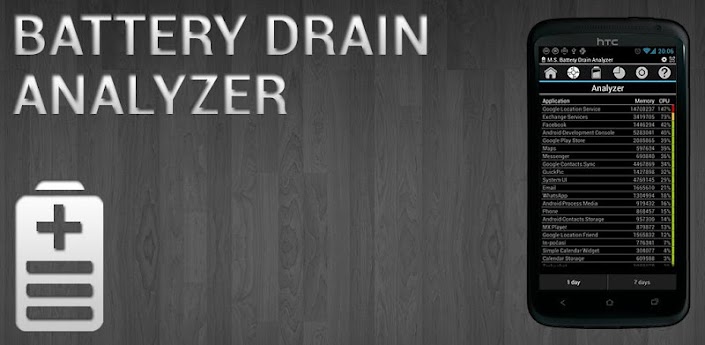
Description: Battery Drain Analyzer Full
Battery Drain Analyzer with Simple profile manager
!!! Please be so kind and read text I wrote here to avoid surprised reaction about things which are quite clear if you read text !!!
LITE & FULL version
- shows battery status in notification bar
- shows battery status in widget 1x1, 2x1
- shows battery level changes in time for day
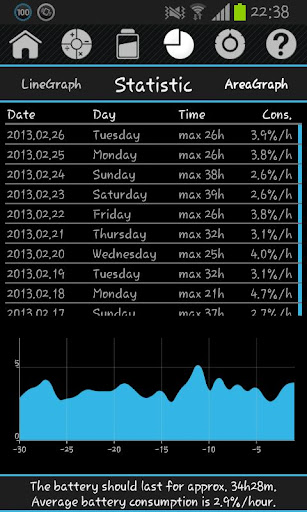
- shows battery life statistic for last 30 days
- estimates for how long the battery last
- estimates for how long the battery will be charged
- notification in case battery level is bellow selected level
- notification for full battery (charging finished)
- 3 simple profiles (possible manual and automatic time activation): Day, Night, Save (allows enable/disable settings bellow)
- 5 buttons for enable/disable: airplane, Bluetooth, mobile data, Wi-Fi, sync + 1 button to access settings
- no advertisement
ONLY FULL version:
- shows which application drain battery most last 30 days (day by day or average)
How Analyzer works:
Analyzer shows battery drain applications (active & background), but it is not real time monitor, because that monitor would consume a lot of energy from battery. Analyzer shows results bigger than 100%. It is because analyzer shows data based on analytic average. It means if one application uses 10% of CPU all the time, it consumes more energy than application which uses 100% for 2 minutes. If application consumes more energy, it gets more percents as result. This is mathematics. Analyzer count results based on CPU consumption, it means if application doesn´t consume CPU, but it only keeps display lighting (which also drain battery), run GPS all the time or other drain activity which doesn´t include CPU load, analyzer doesn´t detect this.
Important:
Please always run application first to start service, which monitor battery. Without it application will not work. If you use a task killer, please add the application to the exception list.
Feedback:
If you have suggestion, comment, bug report or language correction, please use first "Feedback" in Menu – Preferences. It is very hard to help you, if you only criticize application without additional information on the Google Play.
Android OS Requierements: 2.2+
Screenshots:
More info:


 Google +

